Workshop · Quality control

What every screen goes through before it reaches you

Two phases, fifteen inspection stations, more than fifty checkpoints — verified one by one — on the exact Mac model. Not a single defect is tolerated.

2
Inspection phases: cold, then powered on
15
Distinct inspection stations
50+
Individual checkpoints
0
Defects tolerated at sign-off

A MacBook screen is not just a panel. It is an assembly of some fifteen parts — polarizer, T-Con board, hinges, flex cables, camera, ambient light sensor — that must all be flawless for the image, the opening and the sensors to behave exactly as they did originally.

Before a screen is fitted to your Mac, it goes through a two-stage protocol here. First a thorough inspection at assembly, screen off: we check every part, every bond, every screw. Then a battery of functional tests, screen powered on and connected to a real logic board of the correct model: light, colours, pixels, flicker, camera, sensors.

Here, station by station, is everything we check — with the photos of our checkpoints.

RULE How we test — and what we reject

  • Every screen is tested on the exact MacBook model it is meant for (an A2251 is tested on an A2251, never on a “close” model).
  • Tests run on a clean, freshly installed and up-to-date macOS, free of bugs.
  • We ban cheap screen testers: they reveal neither flicker, nor camera, nor ambient light sensor, nor firmware faults. Nothing replaces a real Mac.
Phase 01 — Screen off

Visual & mechanical inspection at assembly

Part by part, before any power-up. We hunt down the slightest bonding, alignment, tightening or cosmetic defect.

8 stations33 checkpointsVerdict: pass / reject
2.6.1

Panel polarizer

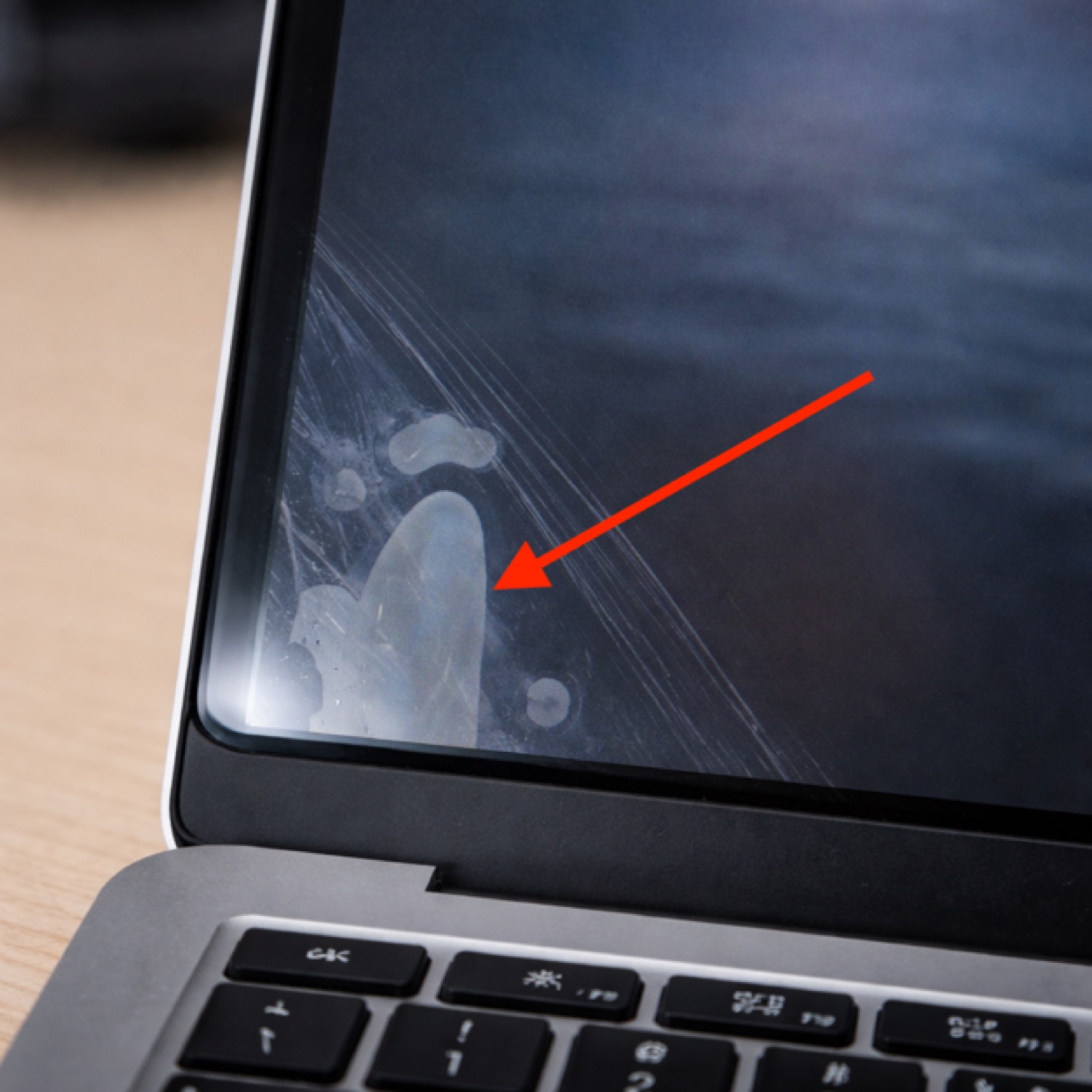
The polarizing film governs contrast and sharpness. The slightest trapped bubble or dust becomes visible in use.

  • Bonding — polarizer perfectly laid down, no non-adhering area
  • Appearance — no scratch, no impact, no cracked glass
  • Bubbles / peeling — no bubble or peel
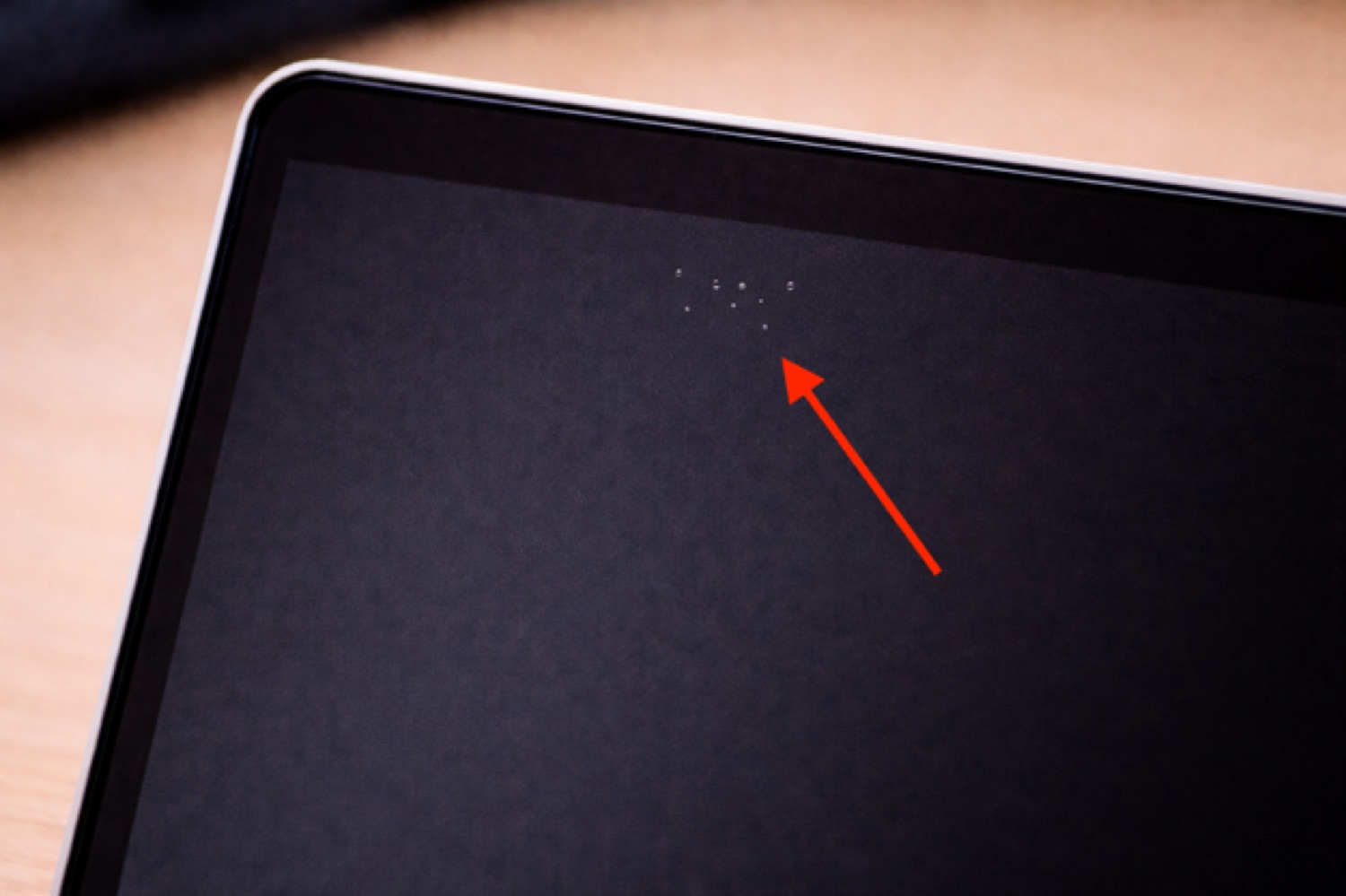
  • Contamination — no dust under the polarizer (seen as white pixels on a black screen)
2.6.2

T-Con board

The brain of the video signal. We inspect it like an electronic board: solder joints, corrosion, repair marks.

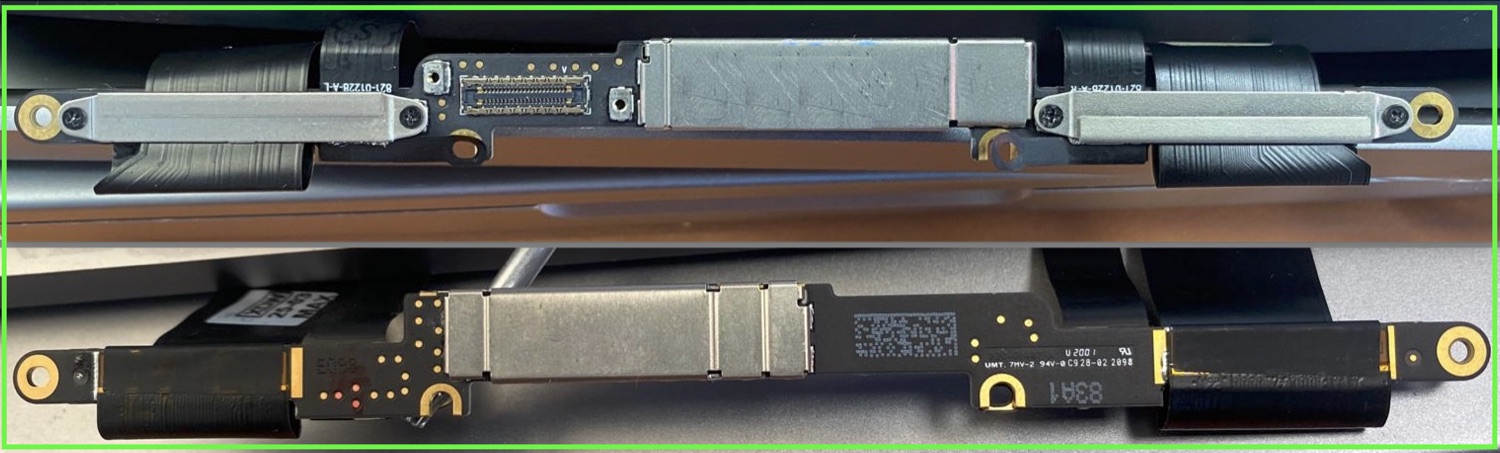
  • Fasteners — all present and correctly tightened
  • Connector screws — all present and tightened
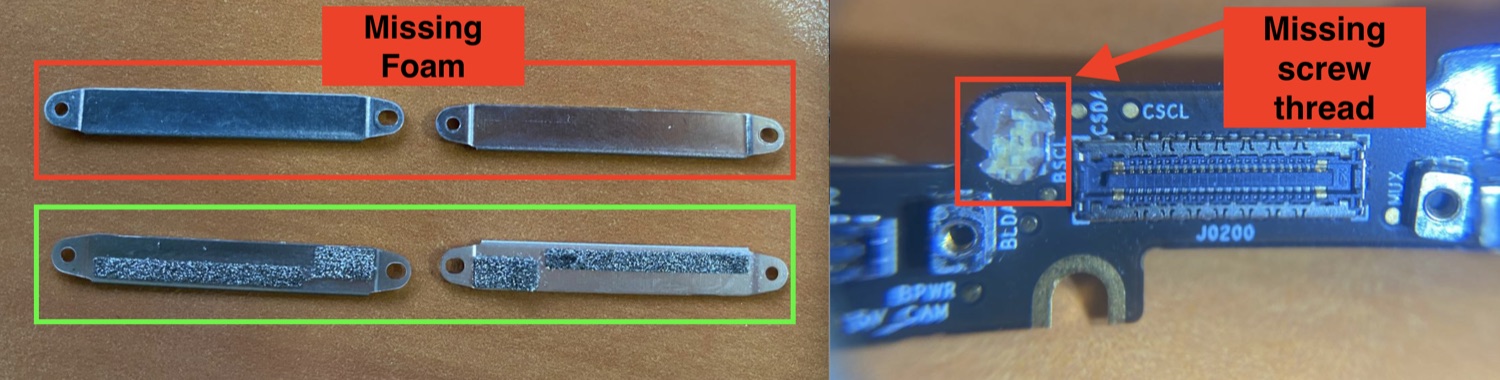
  • No repair — threads soldered (never glued), no repair marks
  • Retaining foams — present and well bonded
  • Board condition — no corrosion, no short circuit, no visible damage
  • Connectors — no missing pin, no corrosion
2.6.3

Bezel

The glass bezel frames the panel. A misalignment shows immediately once the Mac is open.

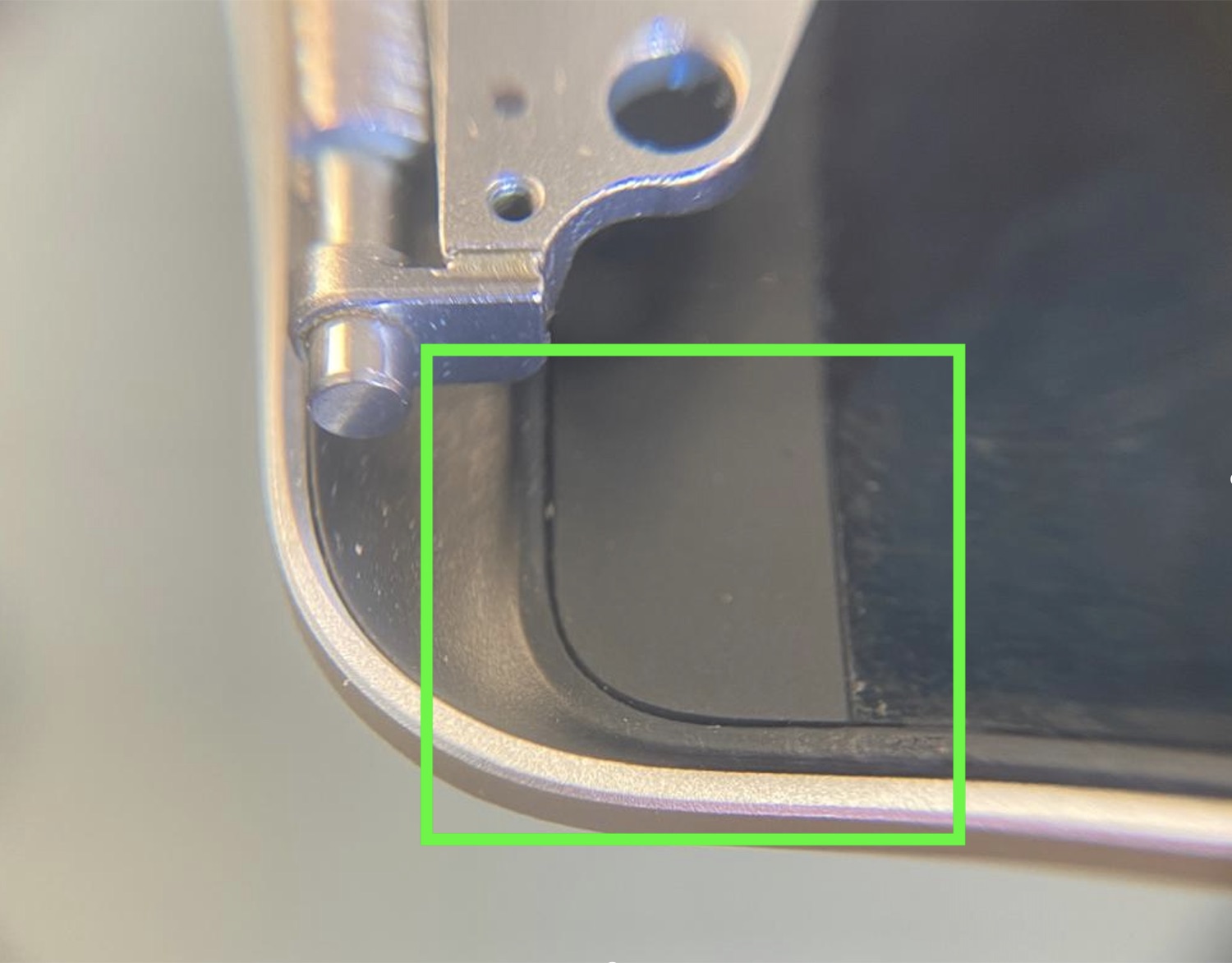
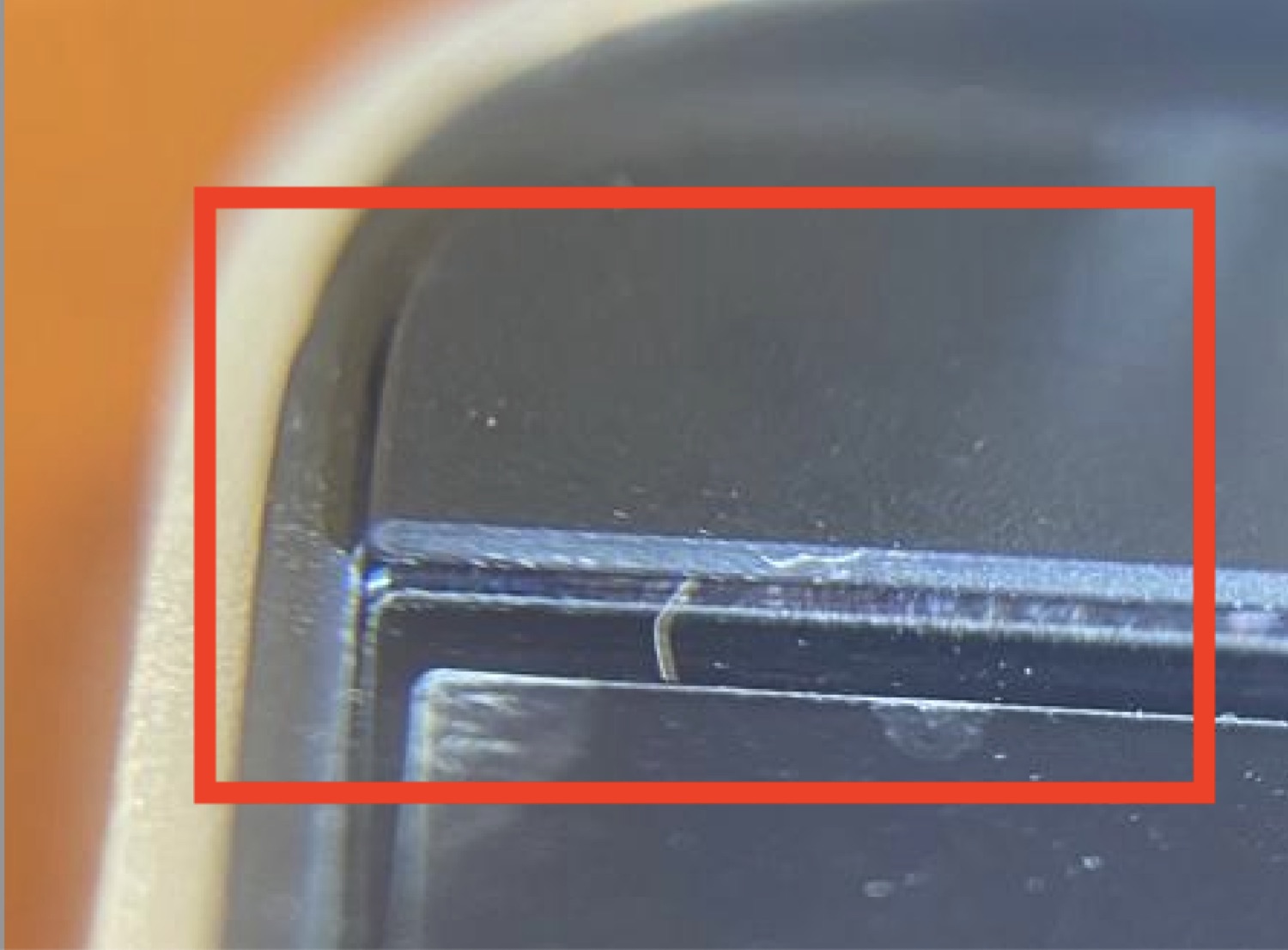
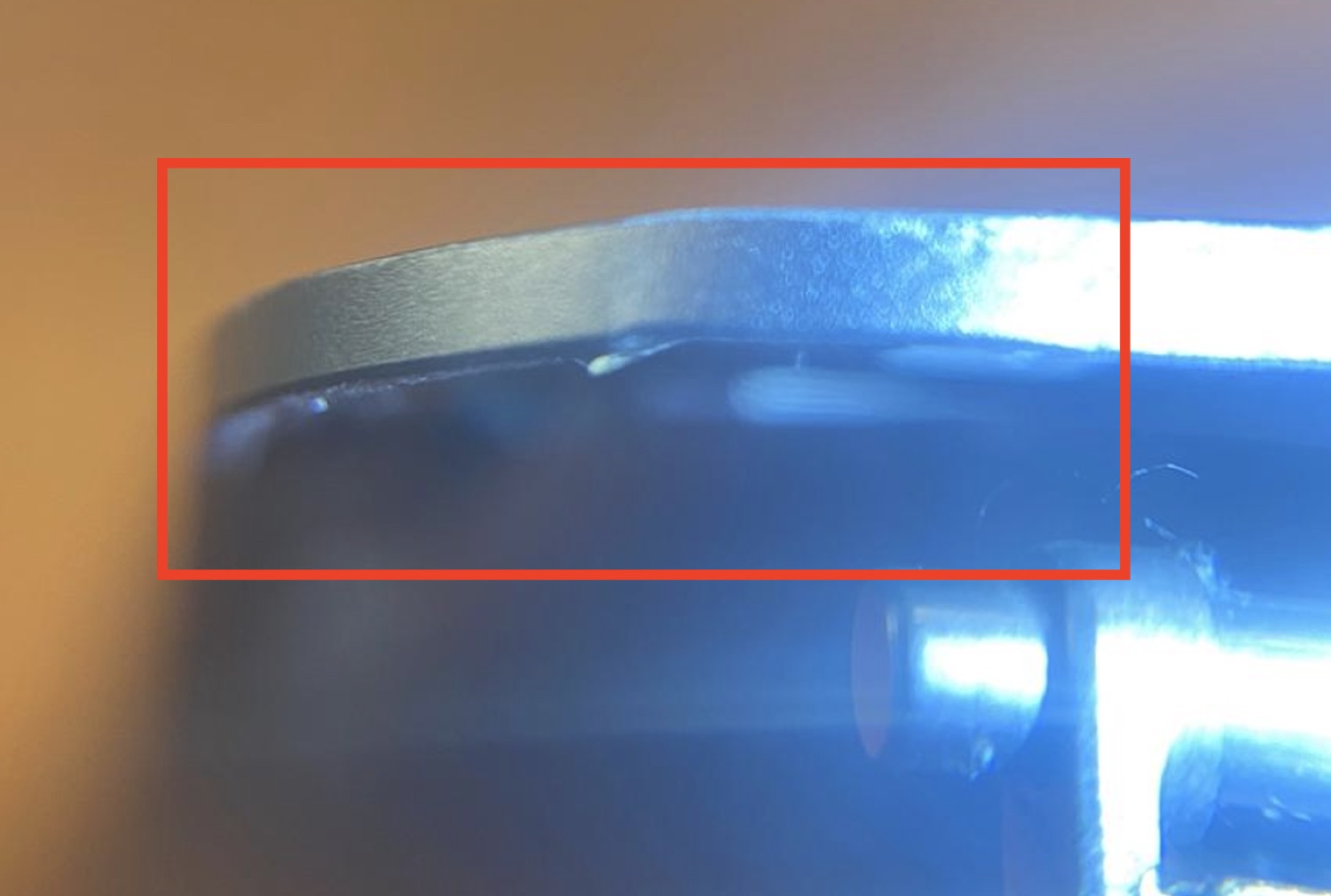
  • Alignment — no misalignment with the panel or with the rubber gasket
  • Assembly — bonded along its full length, no gap, including the bottom corners
2.6.4

Rubber gasket

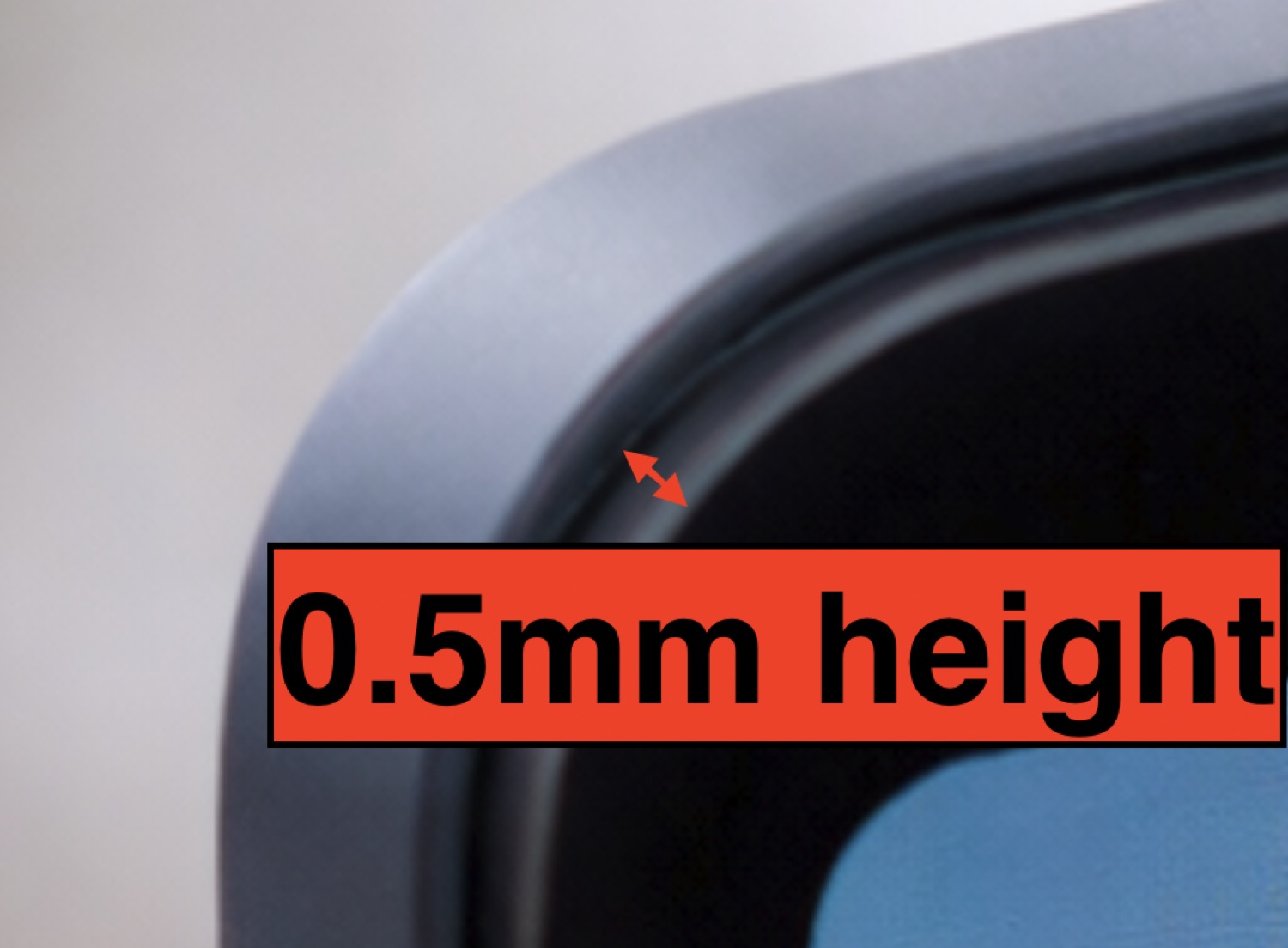
It provides light sealing and the screen's rest when closed. Its height is checked to a tenth of a millimetre.

  • Surface — no deformation felt with the finger
  • Height — stands proud of the housing edge by 0.5 ± 0.25 mm
  • Assembly — bonded along its full length, no visible overhang
2.6.5

Rear housing & logo

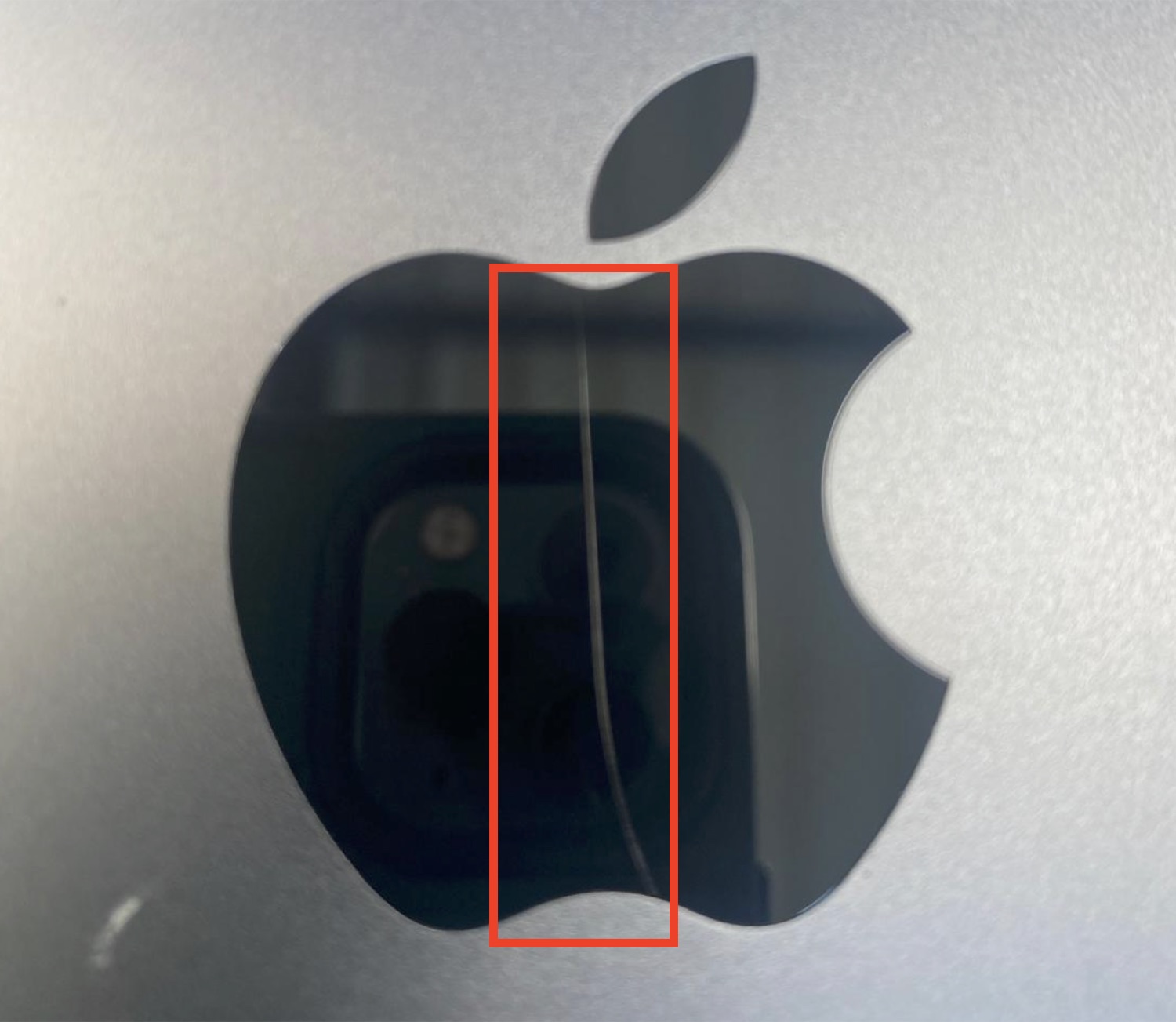
The visible part when closed. Appearance, corners, edges and logo must be flawless.

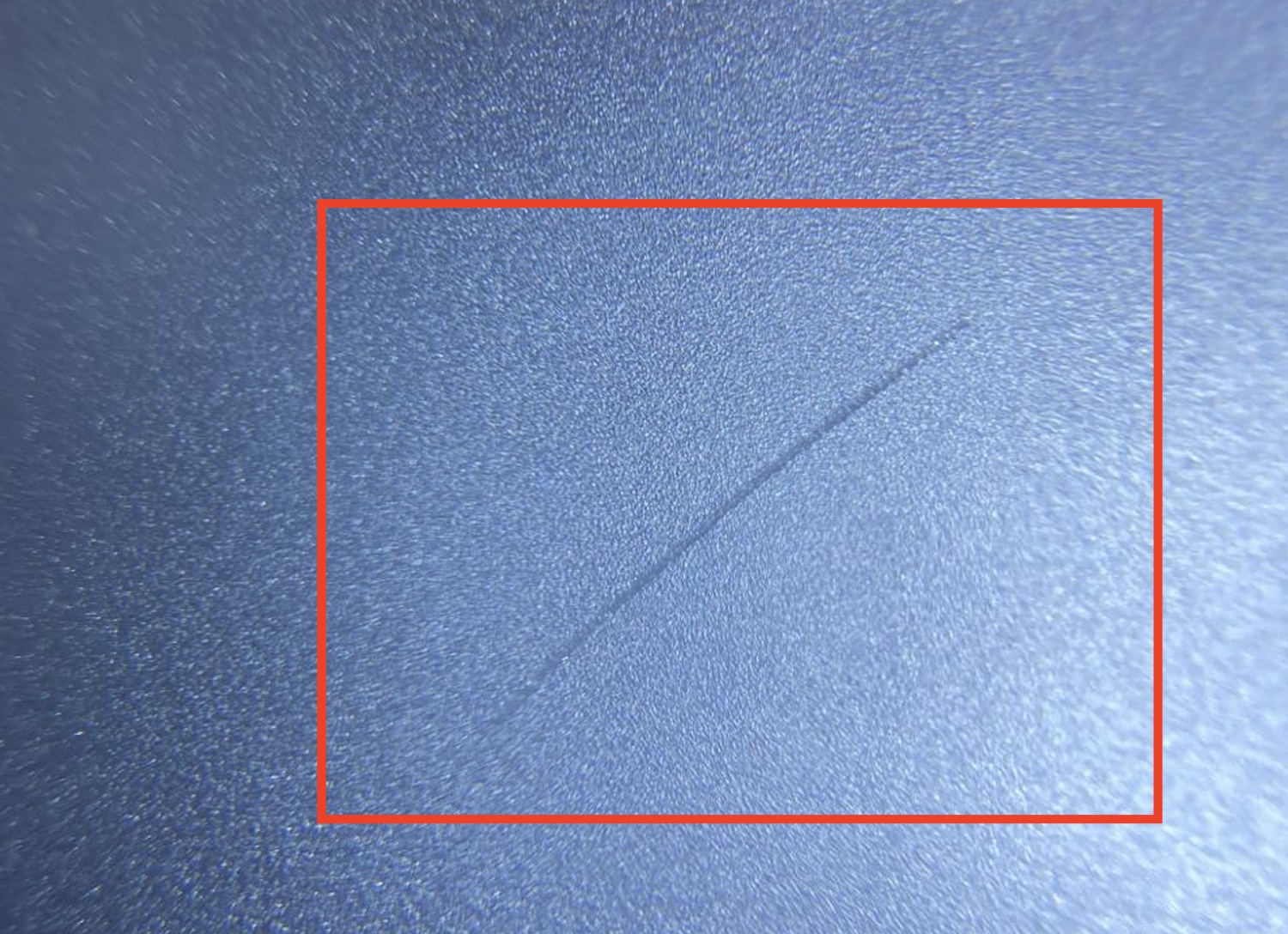
  • Anodizing — the refurbishment of the original housing (re-anodizing) must be flawless: even tone, no rework marks
  • Surfaces — no deformation, no permanent scratch, no discolouration
  • Corners — no visible defect
  • Edges — no visible defect
  • Logo & assembly — flawless logo, no gap between the logo and the housing
2.6.7

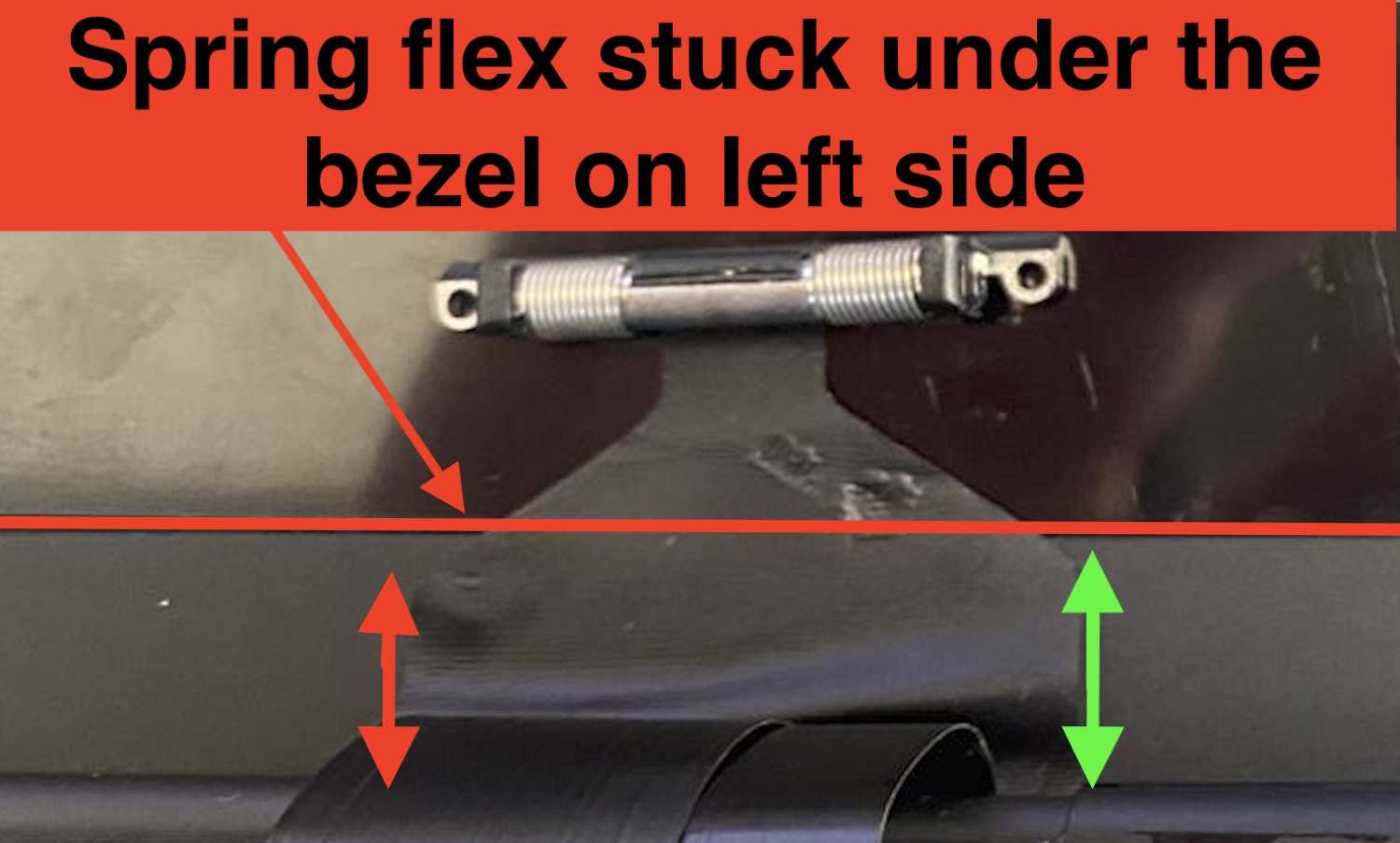
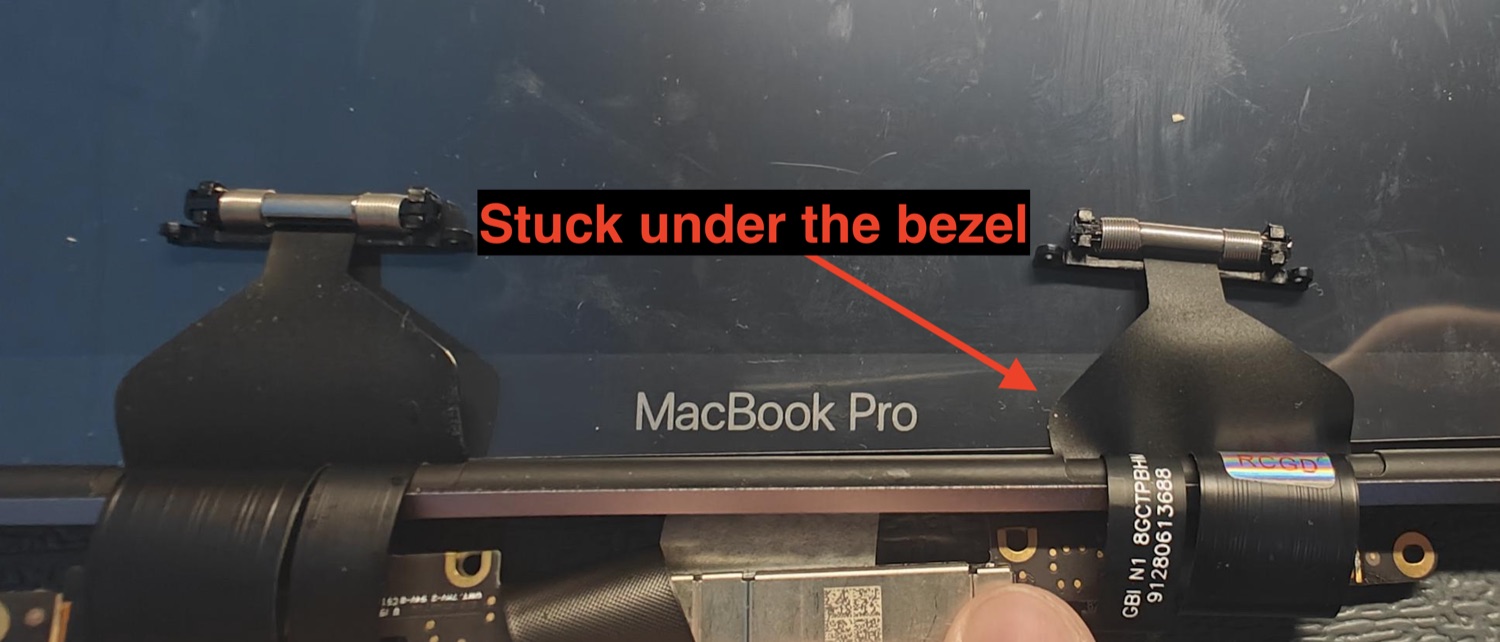
Spring flex cables (Pro models)

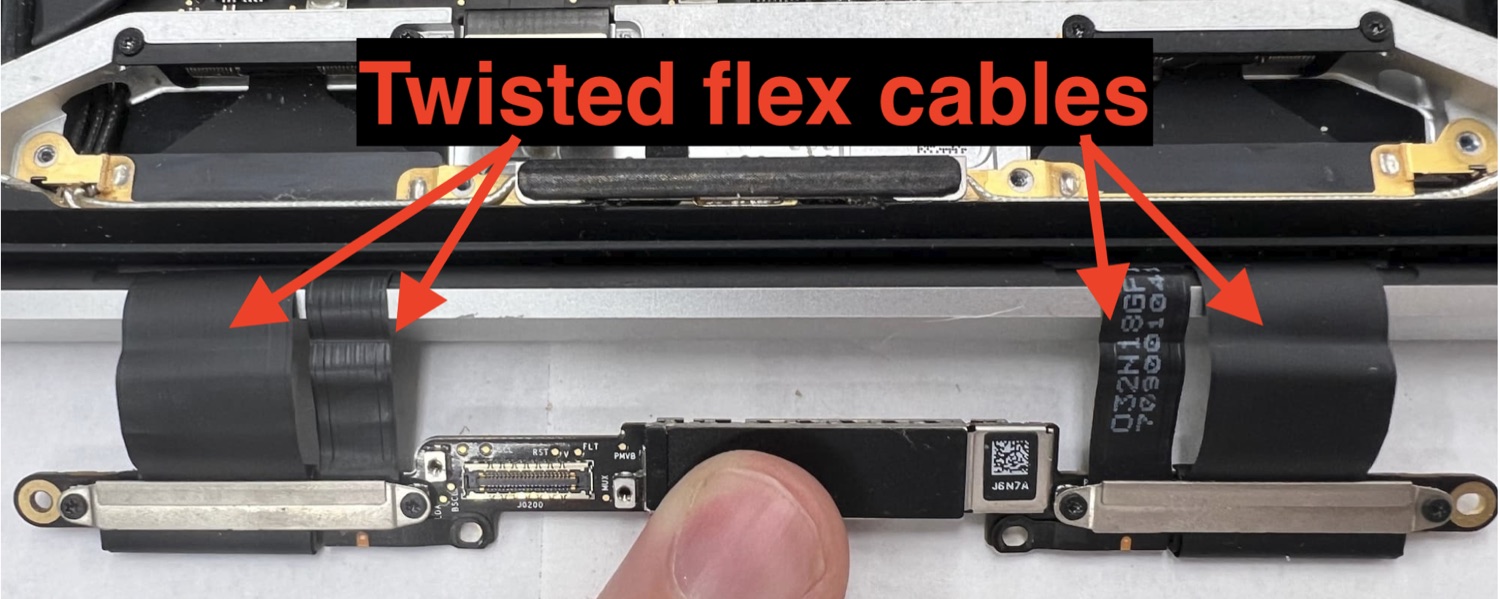
These spring flex cables guide the flex cables through the hinge. Their geometry must be perfect.

  • Assembly — straight, perfectly perpendicular to the frame
  • Length — identical to the original part
  • Spring — functional, no deformation or damage
  • Flex — no tear, puncture, discolouration or debris
2.6.8

Hinges

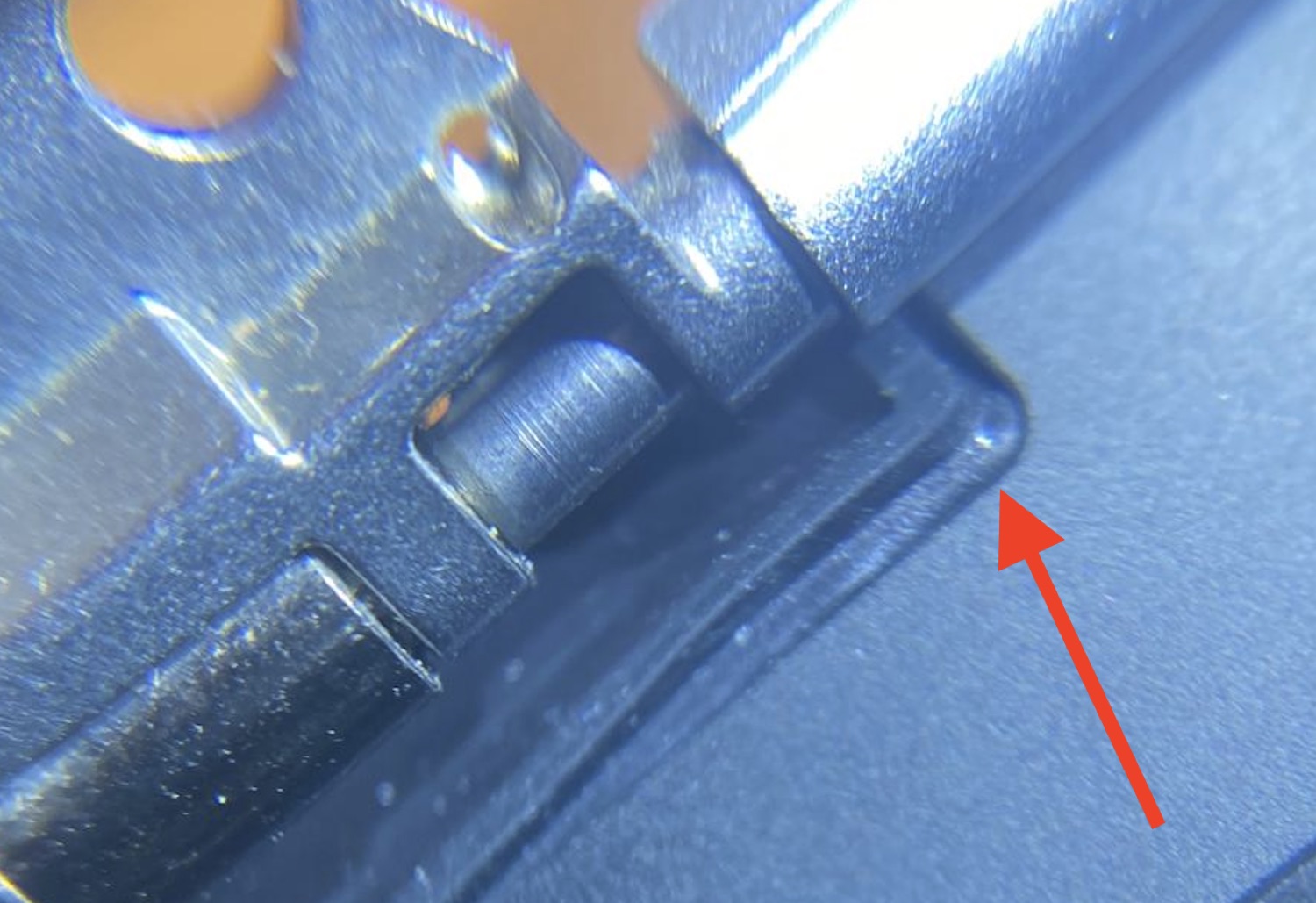
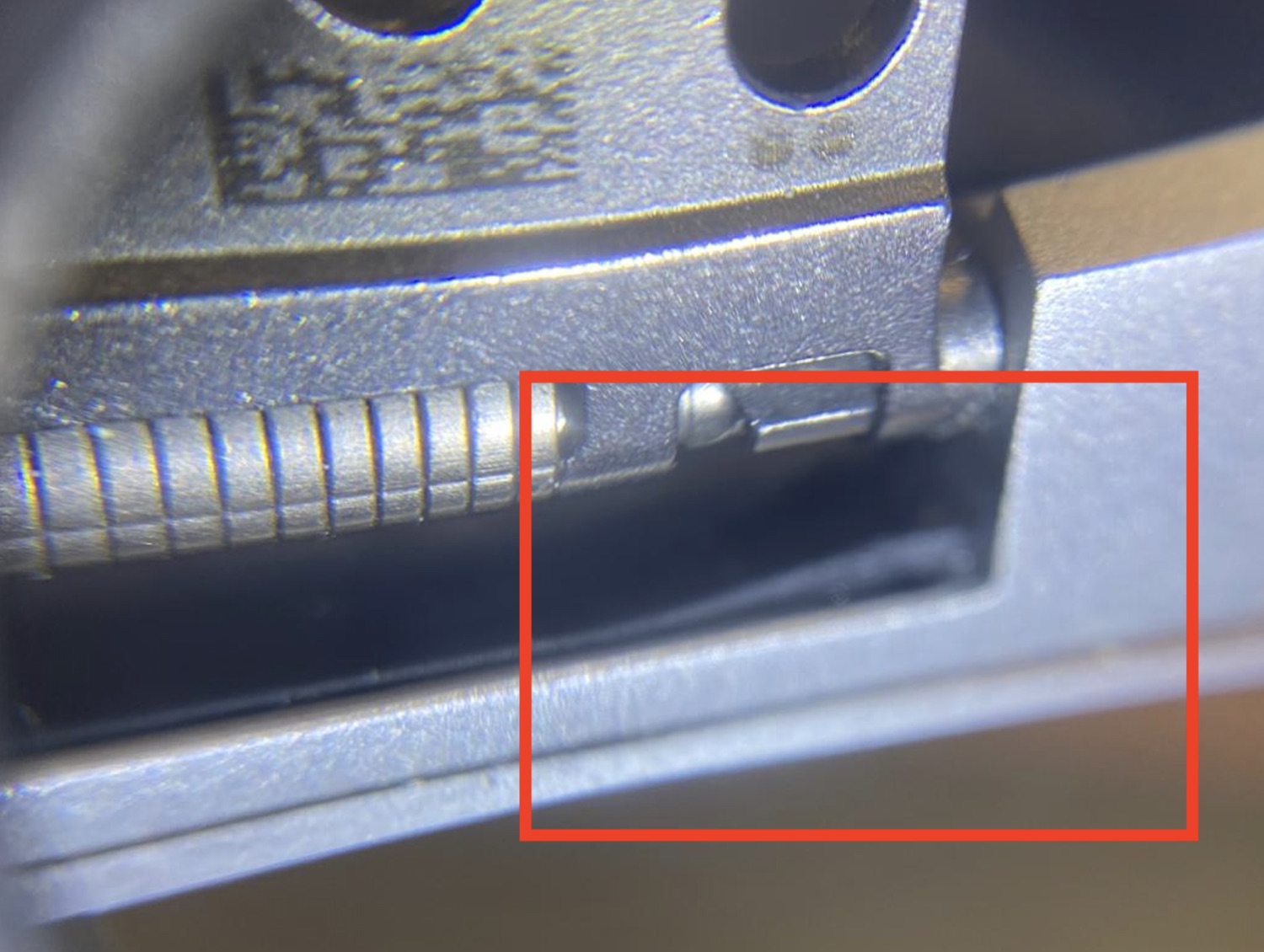
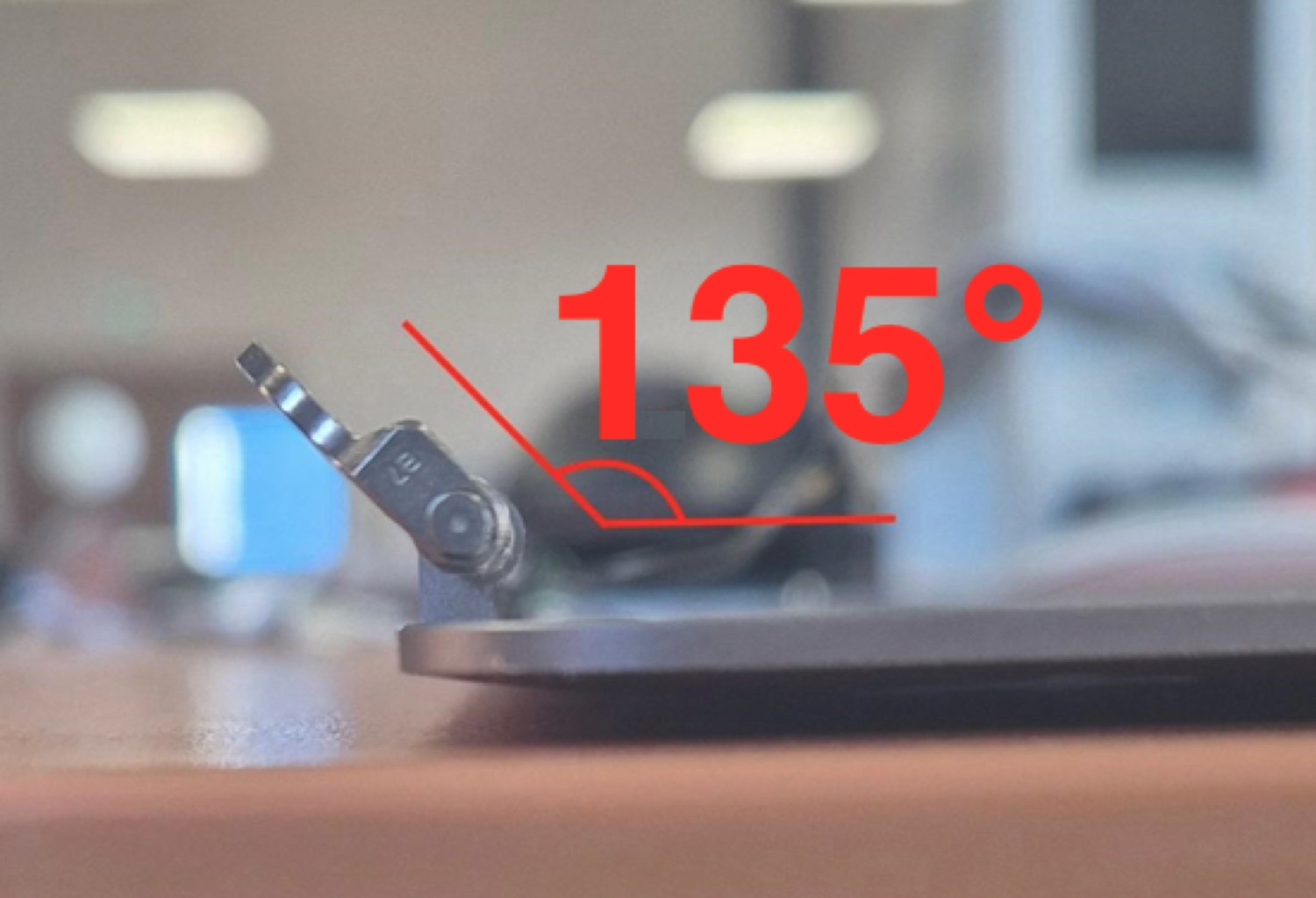
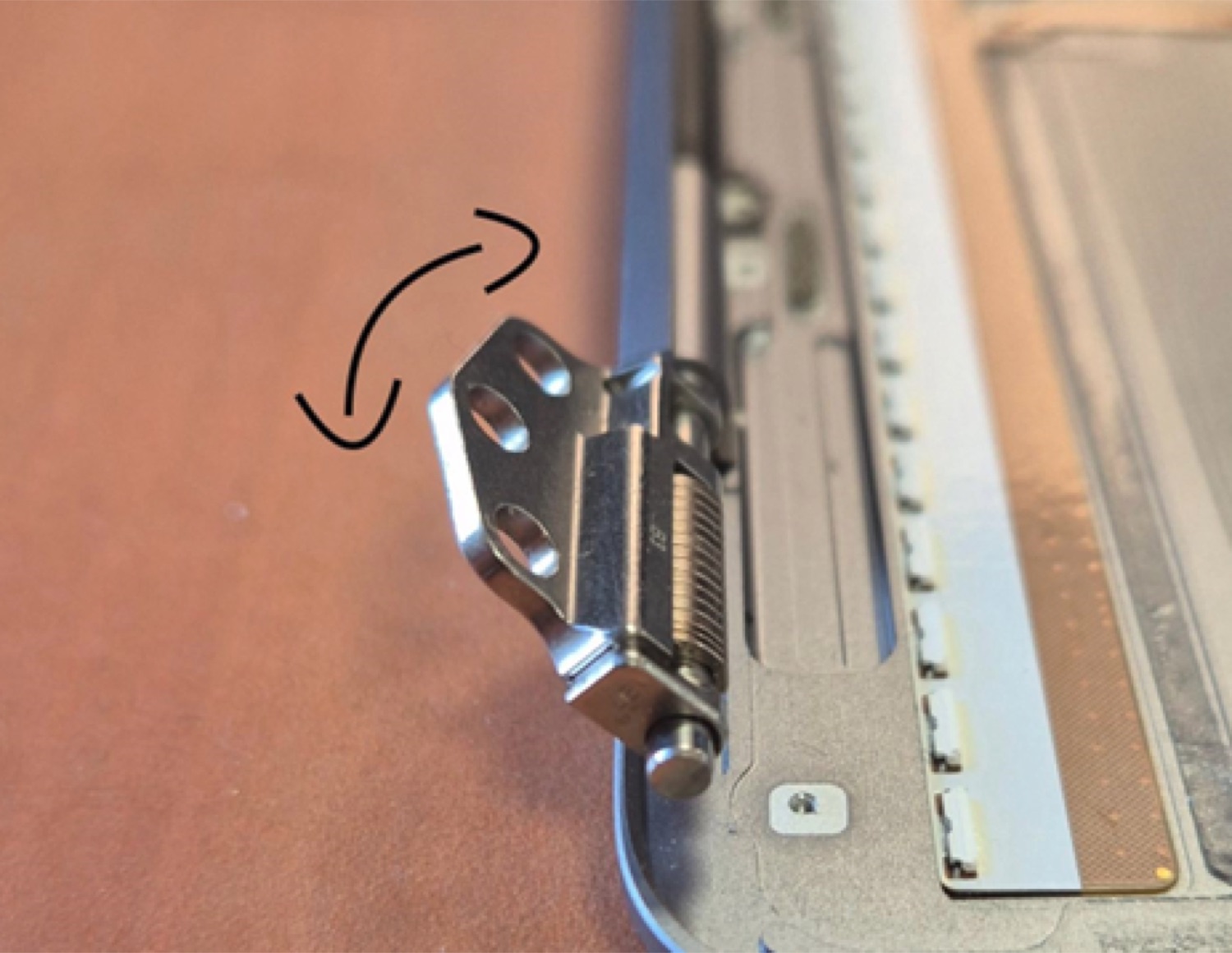
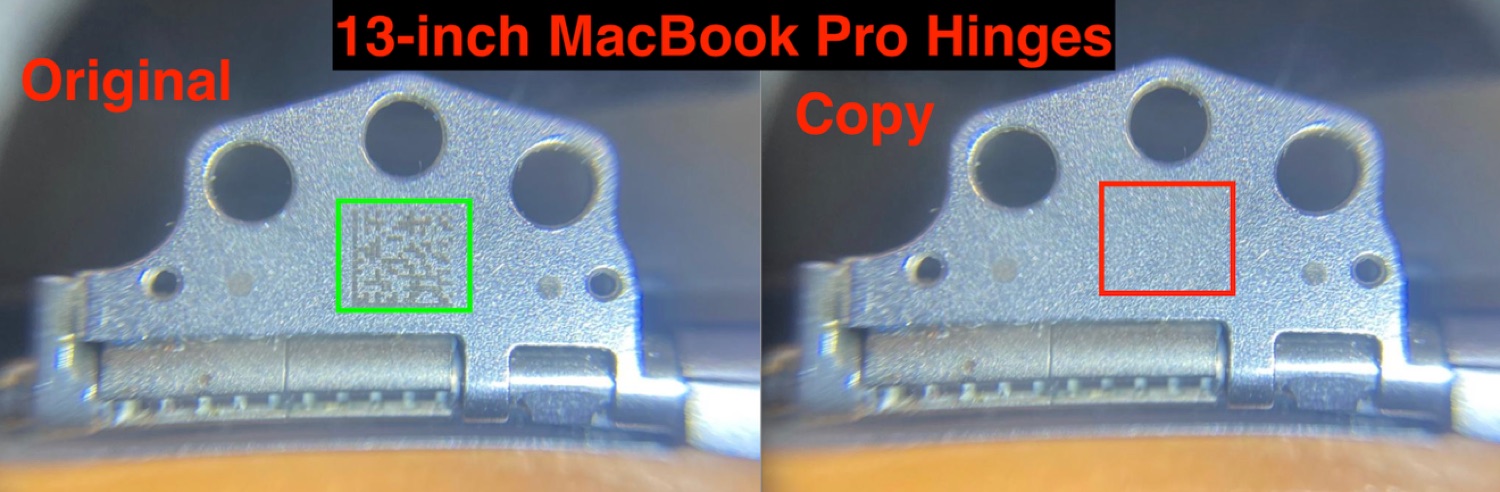
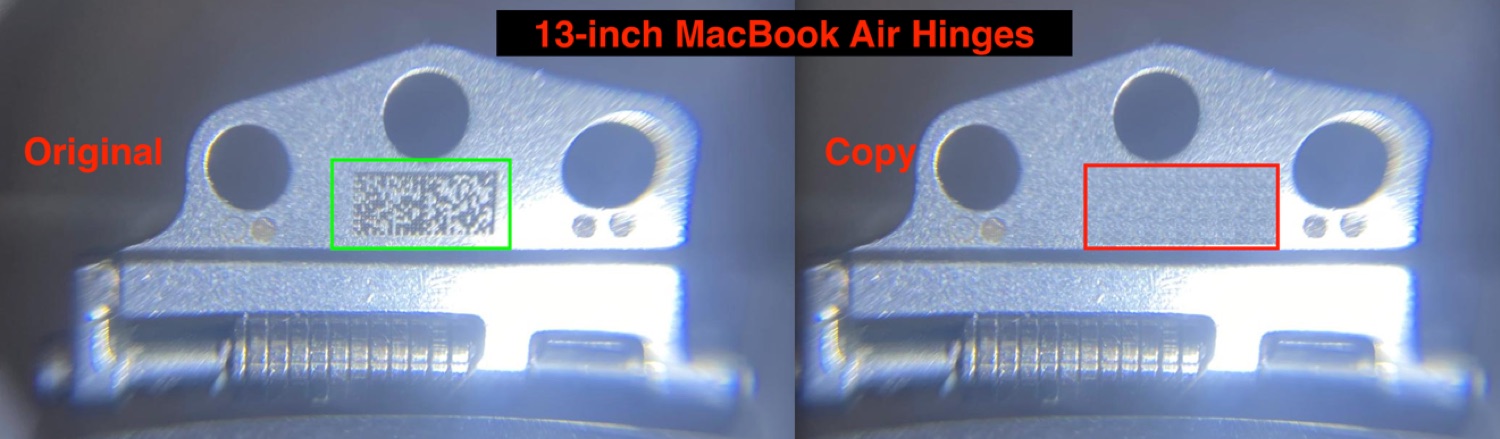
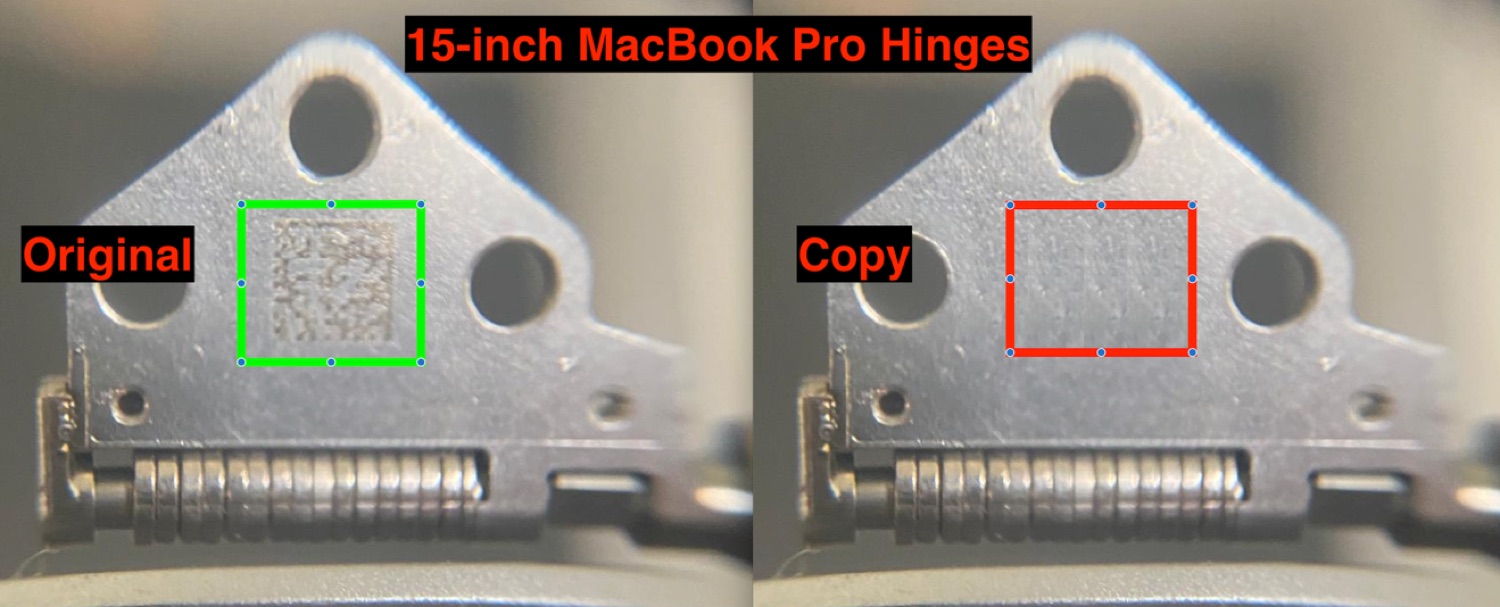
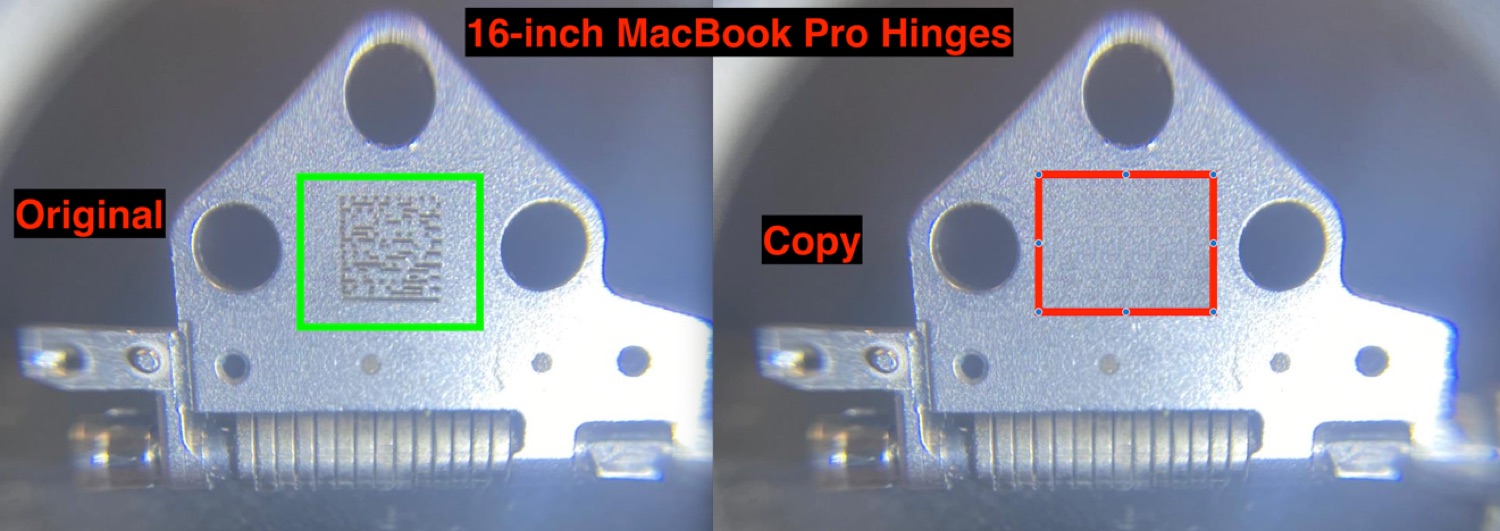
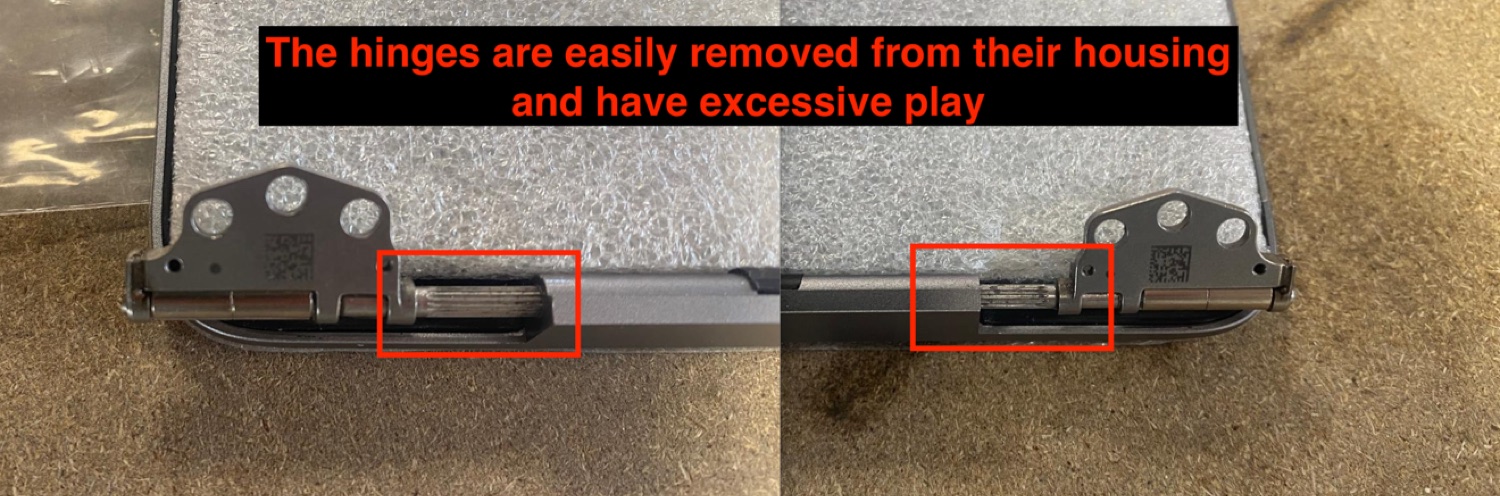
The most stressed mechanical part of the screen. The slightest play causes premature wear and returns. We only accept original hinges, engraved with their Apple QR code.

  • Opening angle — full opening at 135°
  • Mechanical play — absolutely no play, even slight
  • Movement — smooth, no hard spot
  • ORI QR code — present, engraved, identical to the original (copies forbidden)
  • Type — correct hinge type for the model
  • Fixing — firmly anchored in the housing, impossible to pull out, no play
RejectA hinge with mechanical play causes premature wear and a returned screen. Zero tolerance.
2.6.9

Magnets

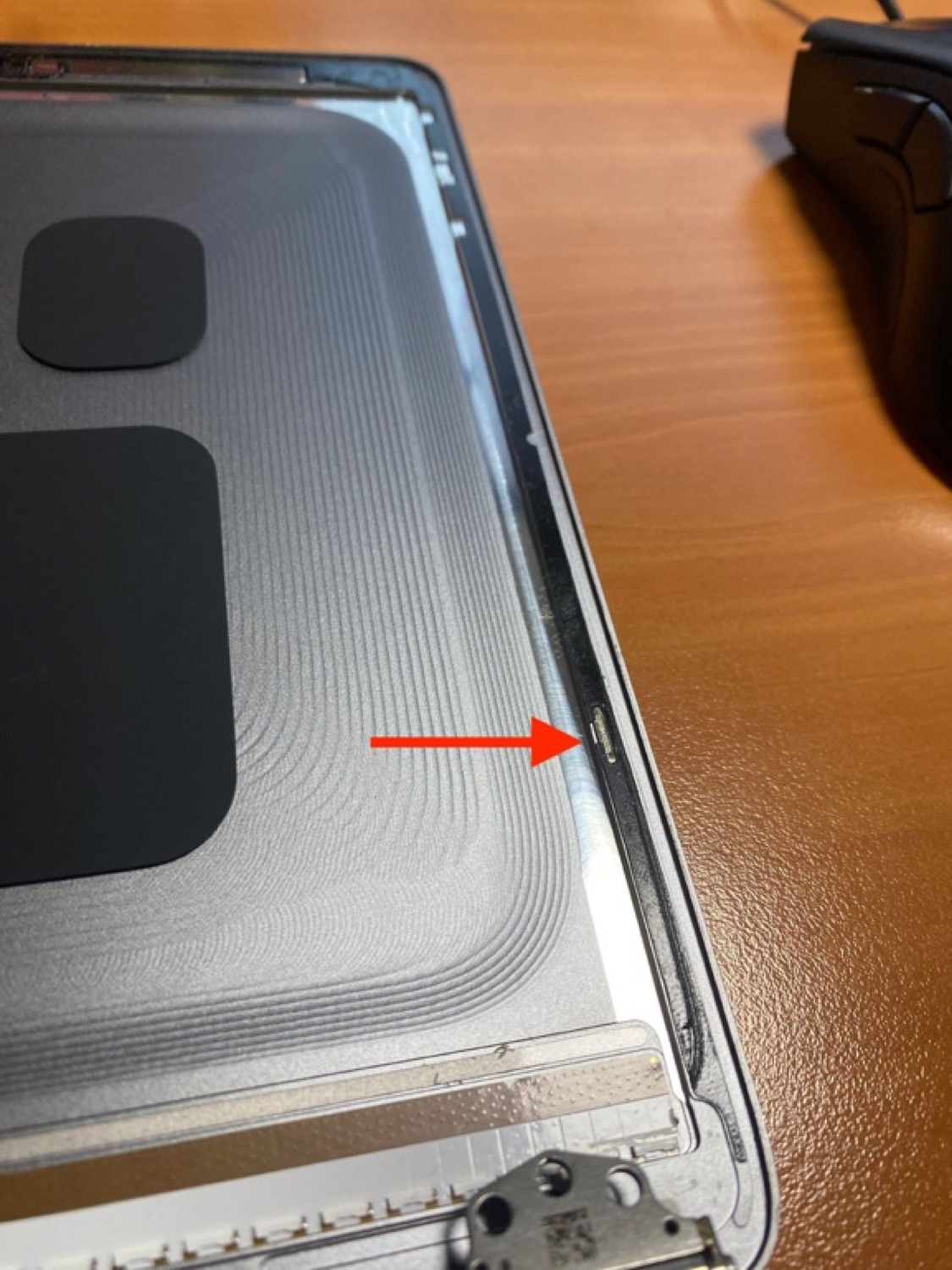
They control closing and sleep. Poorly placed, they prevent a clean close.

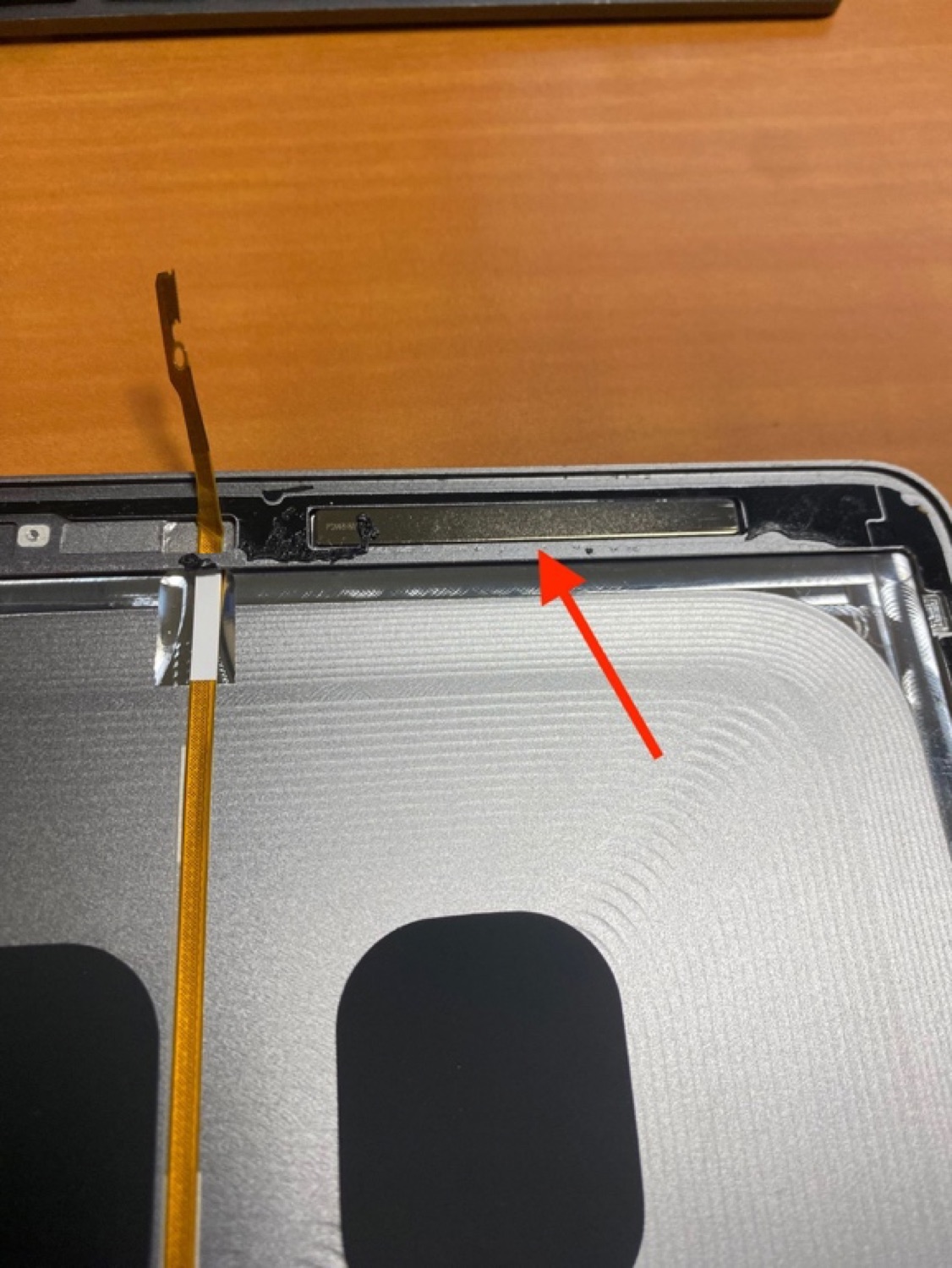
  • Presence — all present according to the screen model
  • Positioning — flat, never above the housing surface
  • Assembly — held with adhesive, no trace of glue or residue
Phase 02 — Screen on

Functional tests on a real logic board

The screen is connected to a logic board and chassis of the exact model, then booted into macOS. We measure and inspect everything that only shows when powered.

7 stations20 checkpointsIncluding measured brightness & colour
2.7.1

Panel flex cables

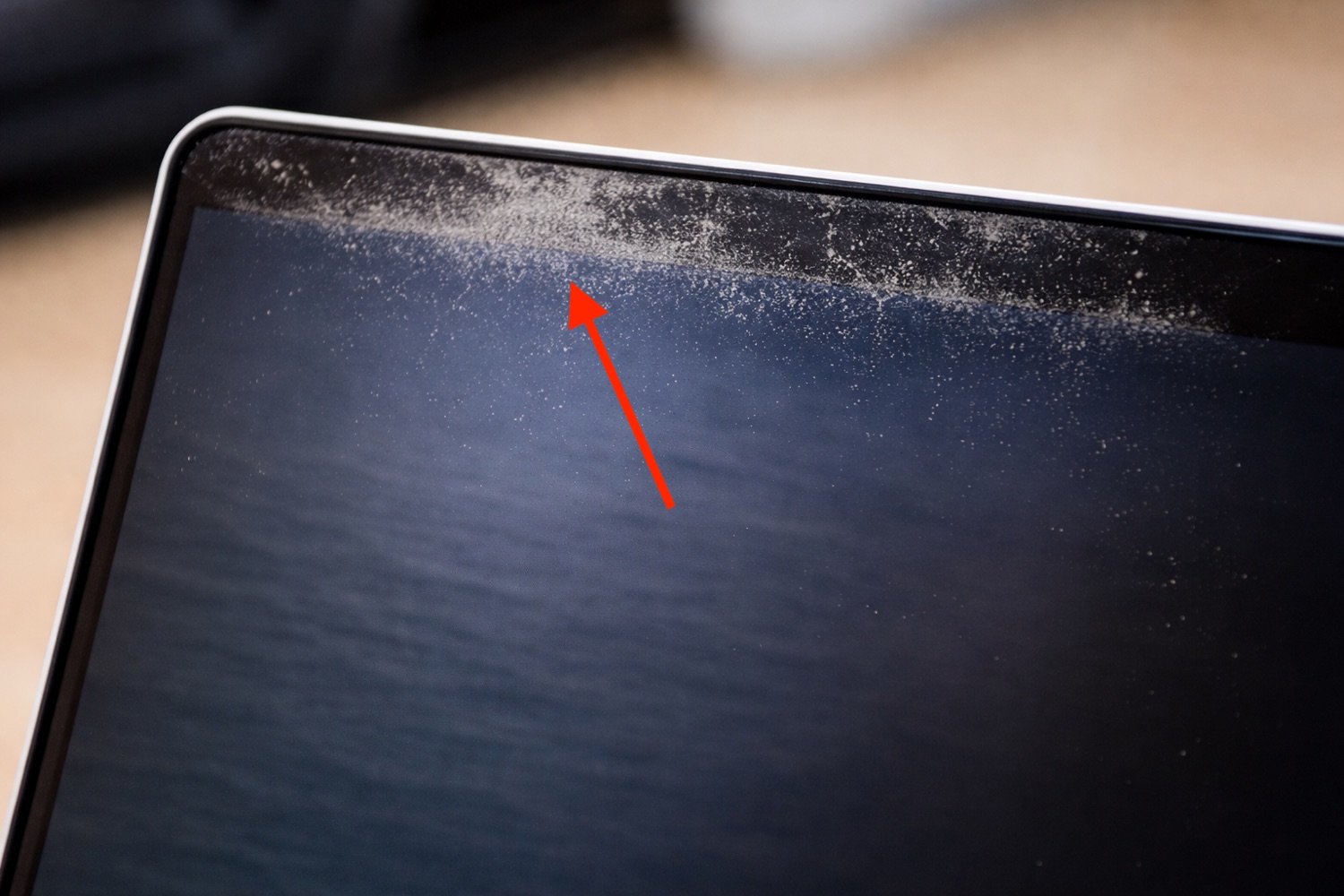
The link between the panel and the logic board. We hunt down the notorious “Dustgate” and any retention defect.

  • Flex condition — no tear, puncture or trace of Dustgate
  • Assembly — held by adhesive and retaining plate, on the T-Con side
  • Protective strip — present and correctly bonded
2.7.2

Bottom assembly

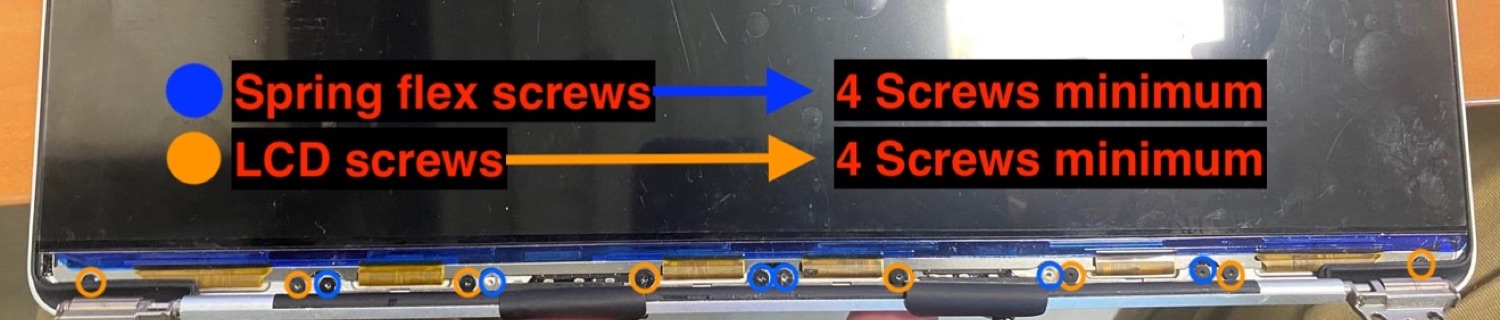
The screwing area that ties the panel and spring flex to the chassis.

  • Screws present — at least 4 screws for the panel and 4 for the spring flex
  • Assembly — all present screws correctly tightened
2.7.3

Backlight

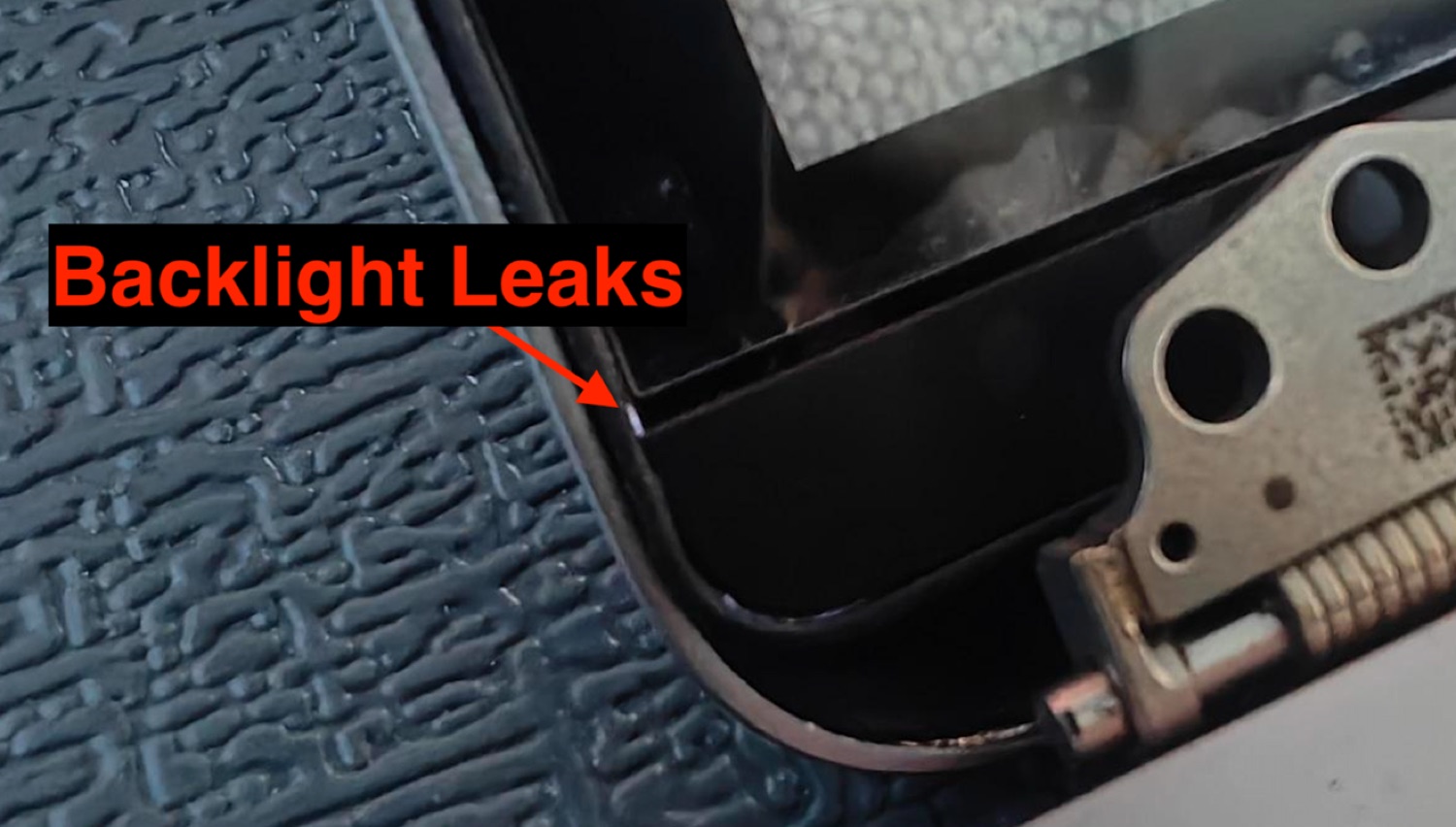
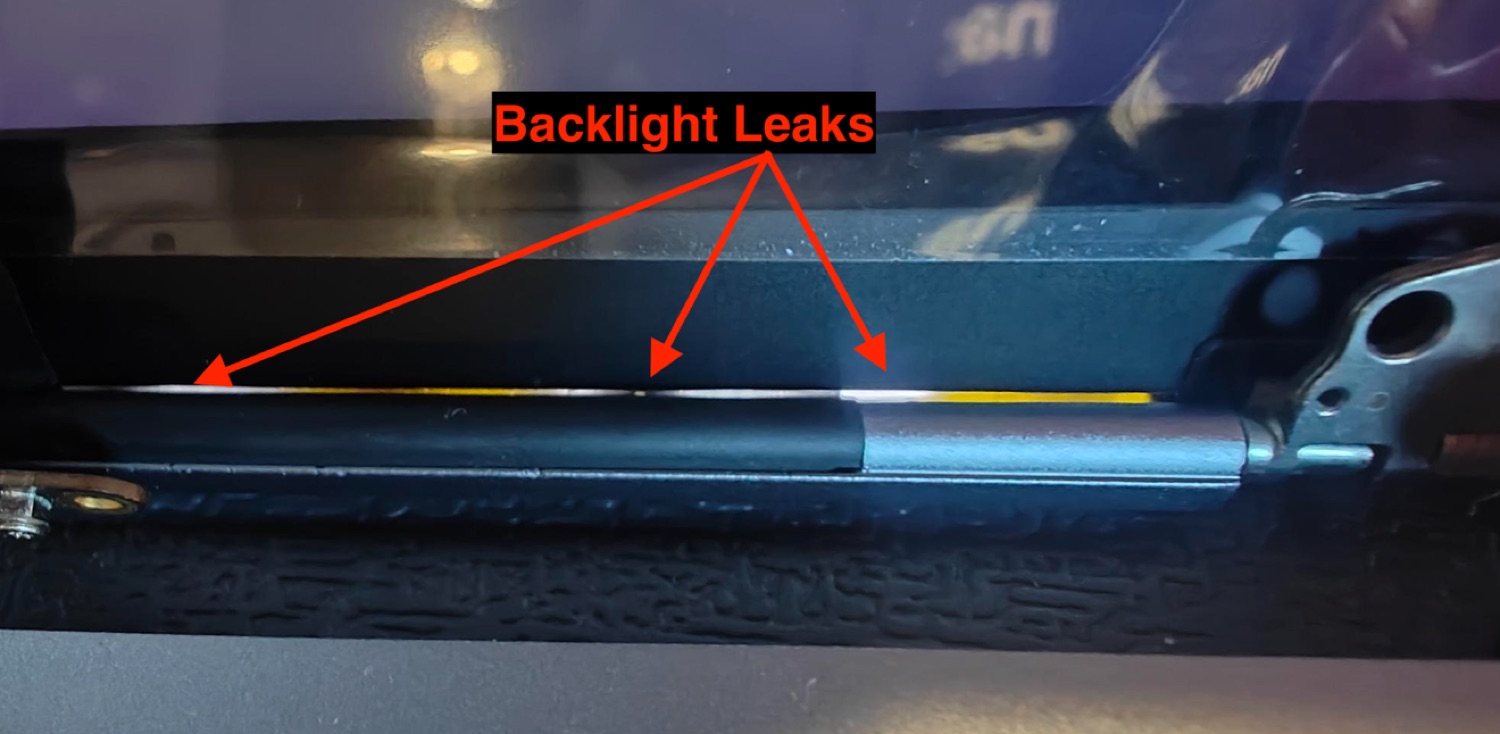
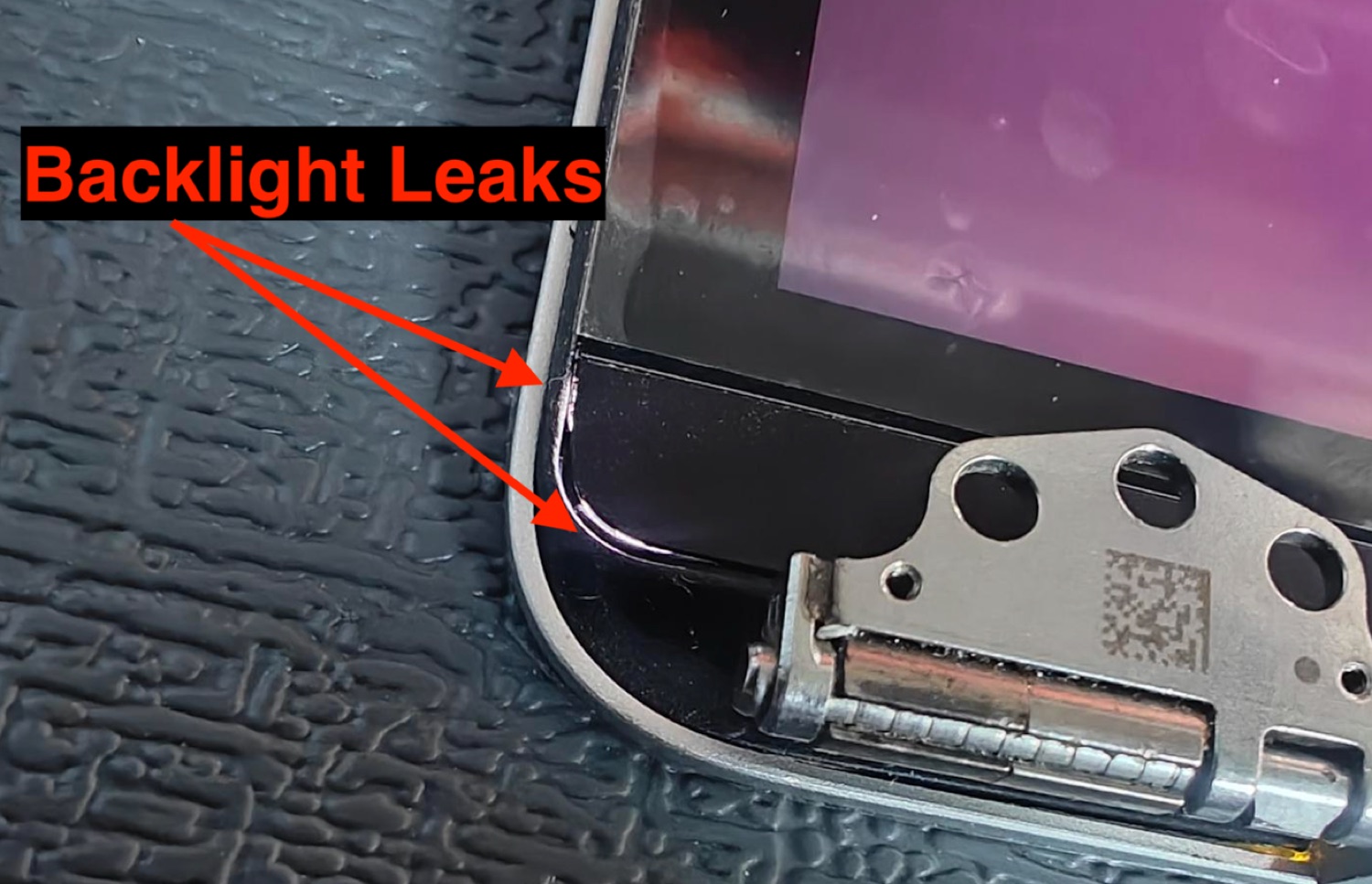
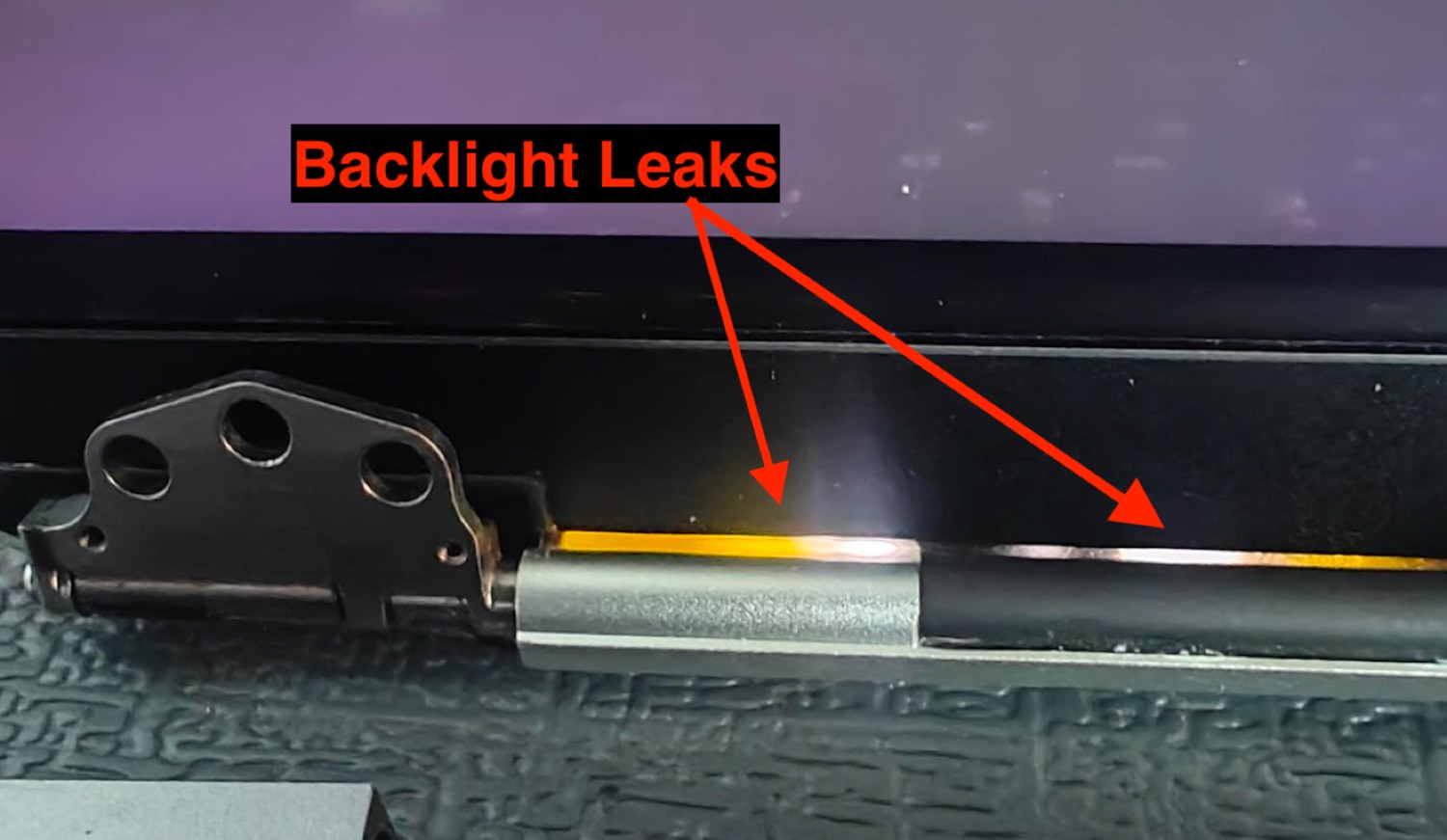
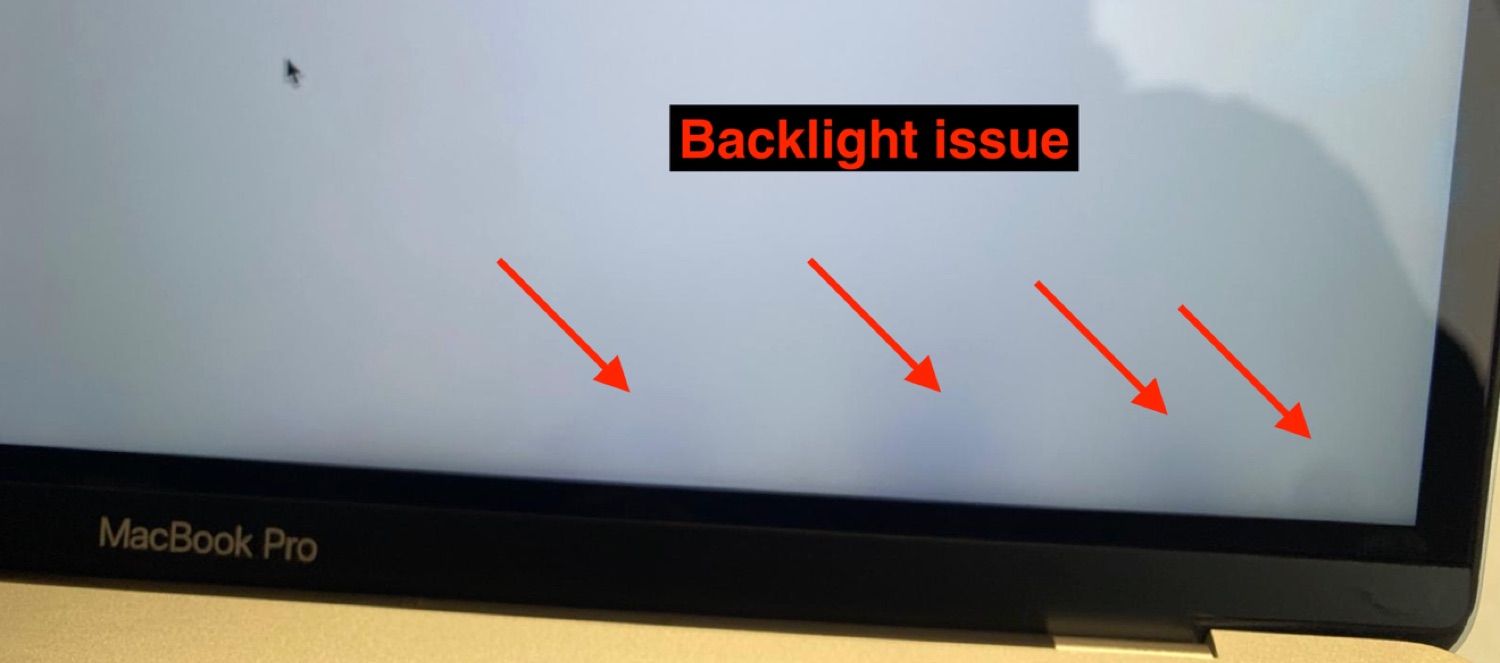
Tested in ambient light controlled at 150 LUX, on a black then white background, to flush out the slightest light leak.

  • Internal leaks — invisible at 150 LUX, on black and white screens
  • External leaks — invisible at 150 LUX on a black background, at the hinge cover, bottom corners and gasket edges
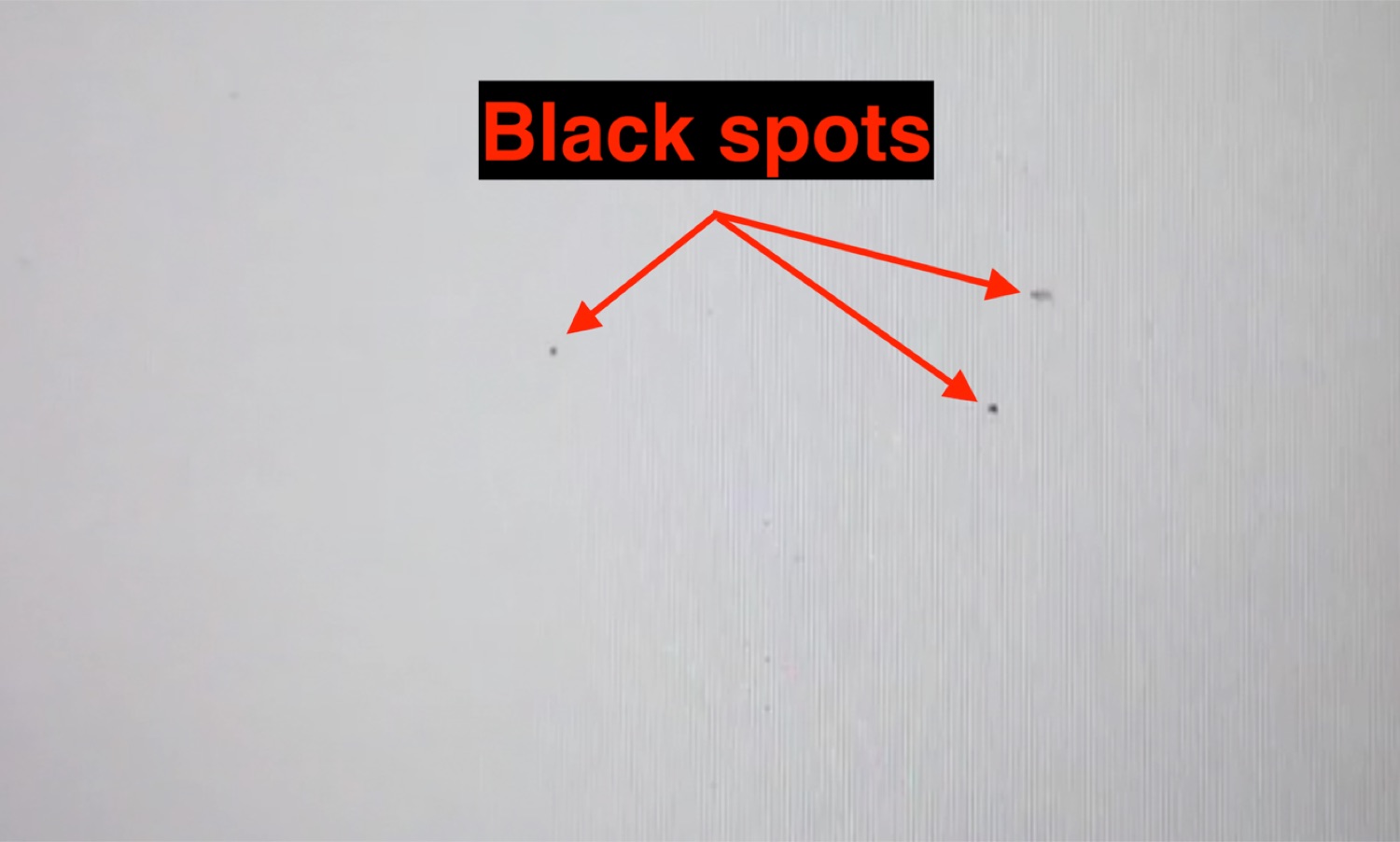
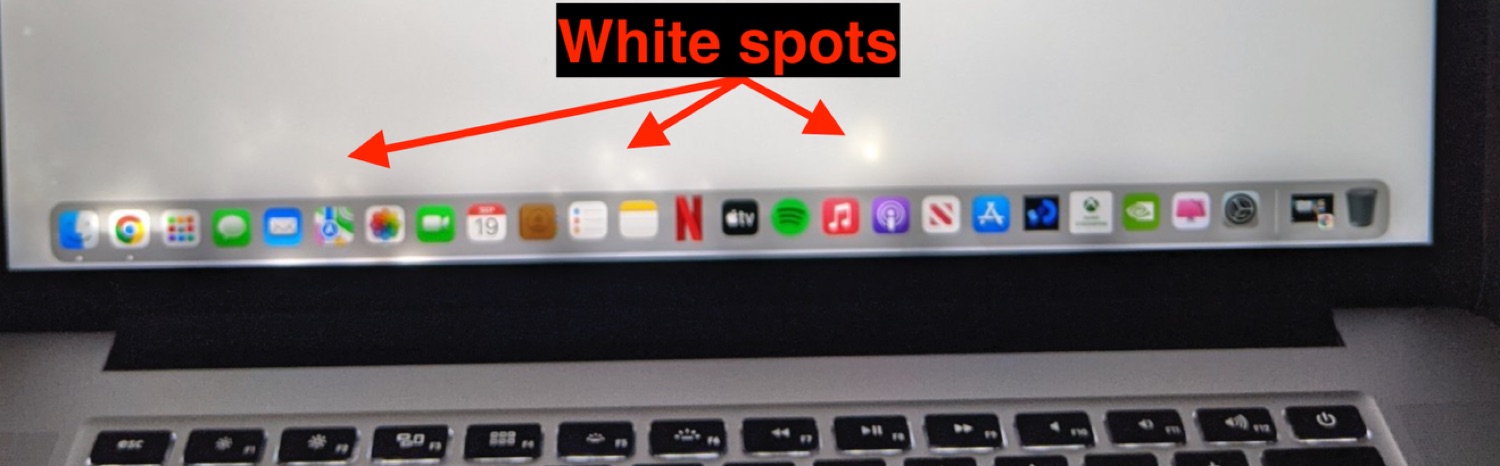
  • Spots — no white or black spot, even at the panel edge
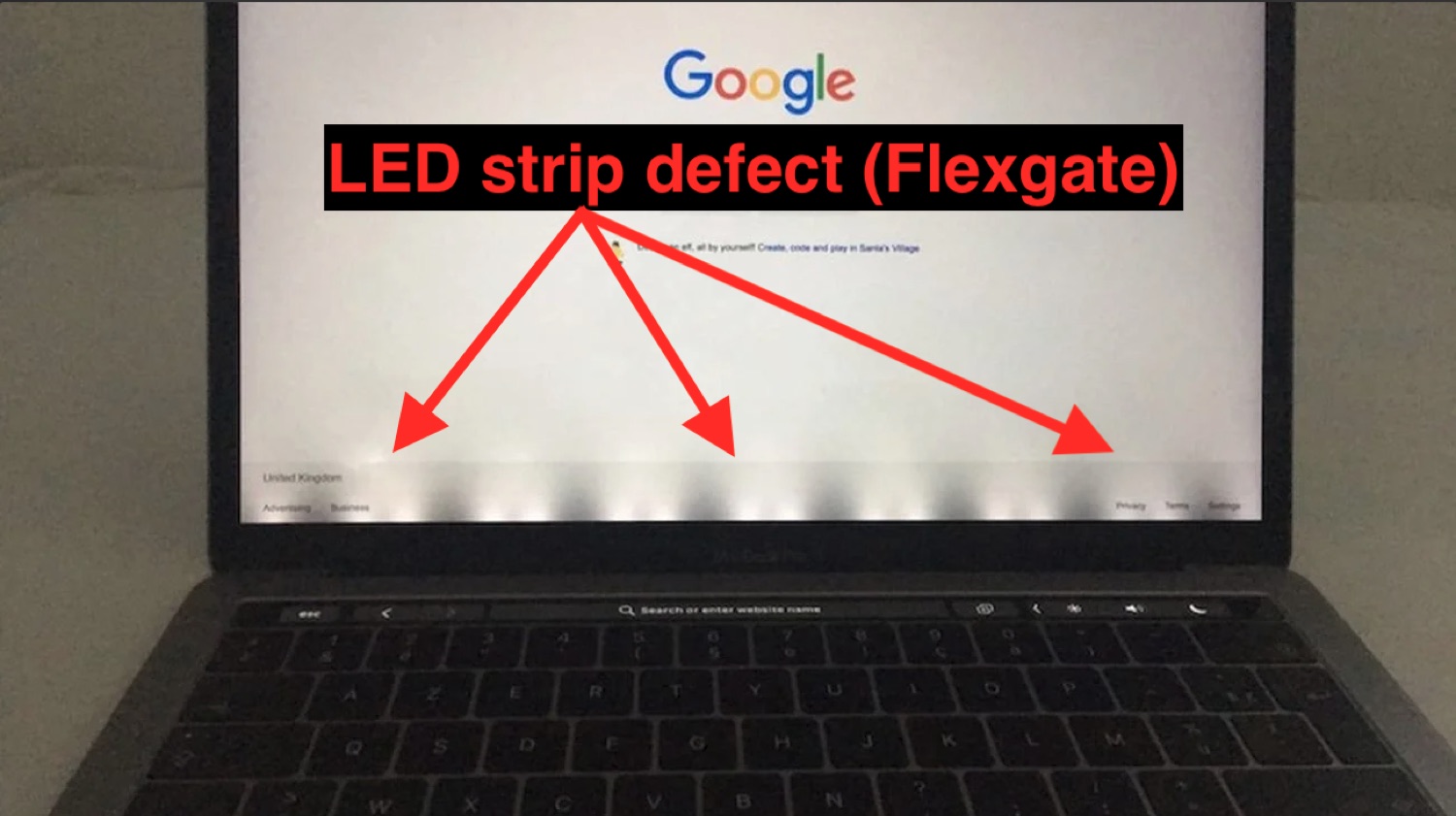
  • LED strip — no visible defect
2.7.4

LCD panel & firmware

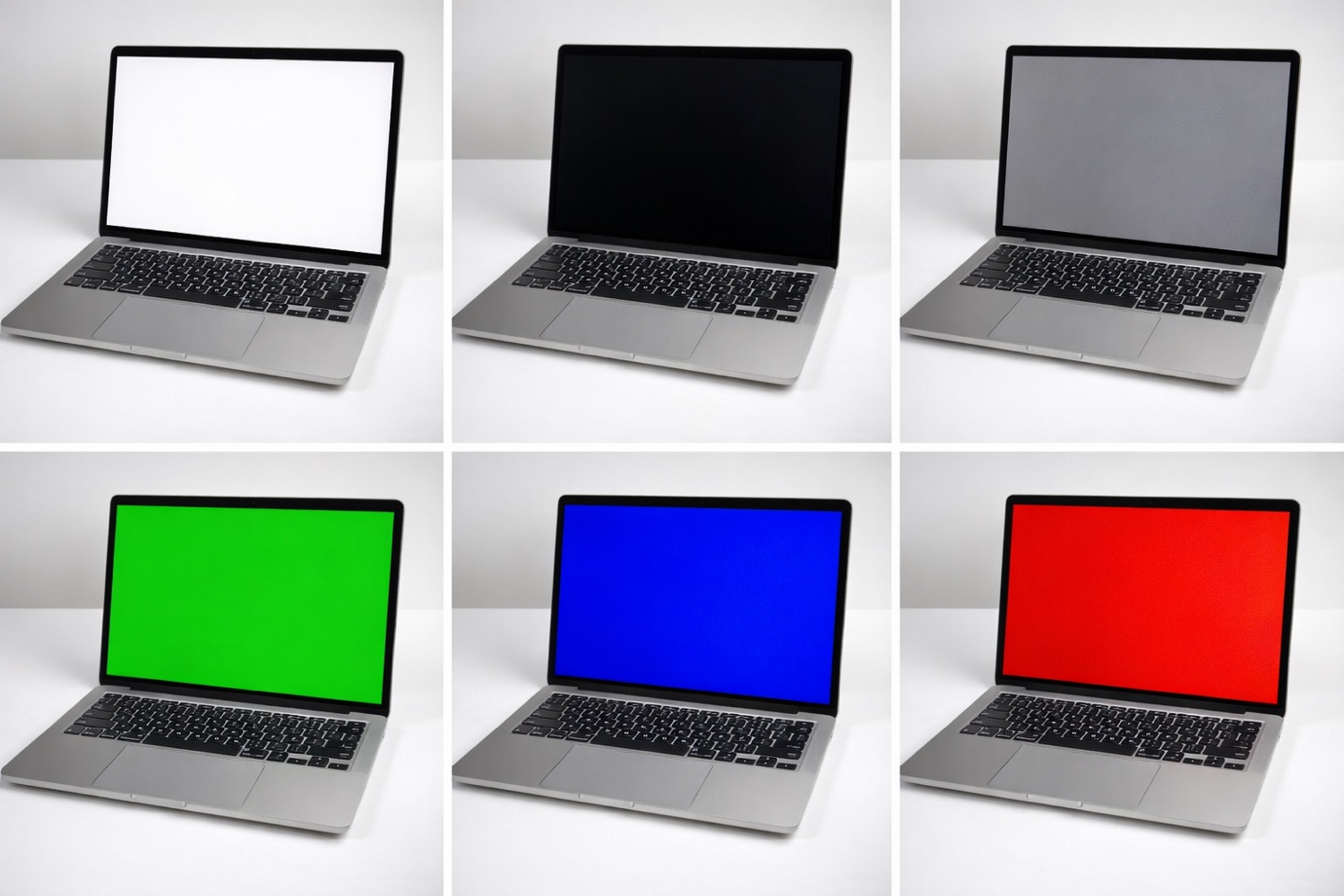
The heart of the image test. Flicker, invisible to the naked eye, is detected with our dedicated INSPECT software; the firmware is read with SteelLite.

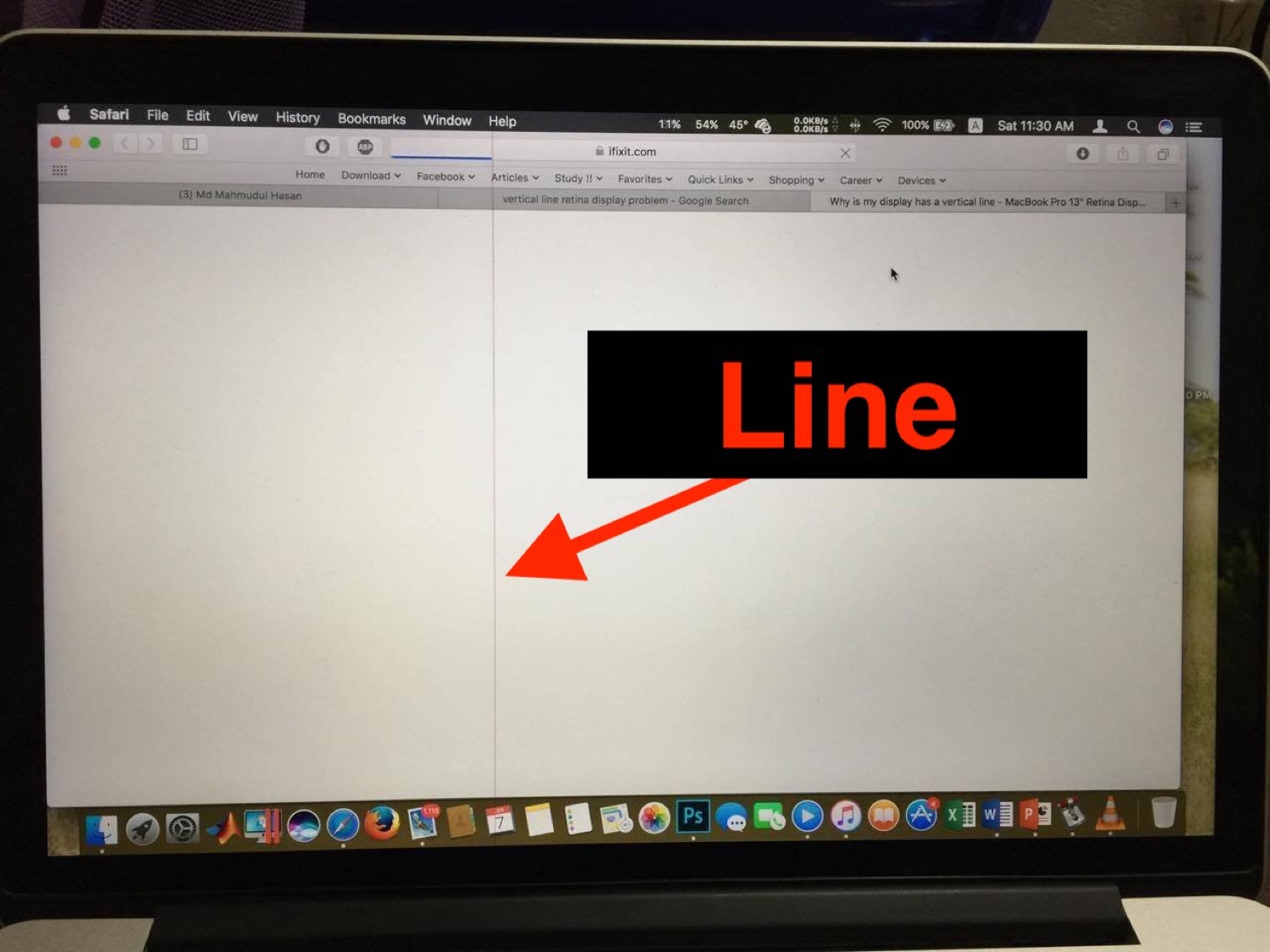
  • Panel defects — no line, even when moving the T-Con back and forth
  • Dead pixels — none
  • Alignment — no visible gap between the panel and the rubber gasket
  • Flicker — checked against INSPECT test cards, no flicker allowed
  • Firmware & boot — firmware readable (SteelLite), the logic board boots and logs in without issue
2.7.5

Brightness (measured)

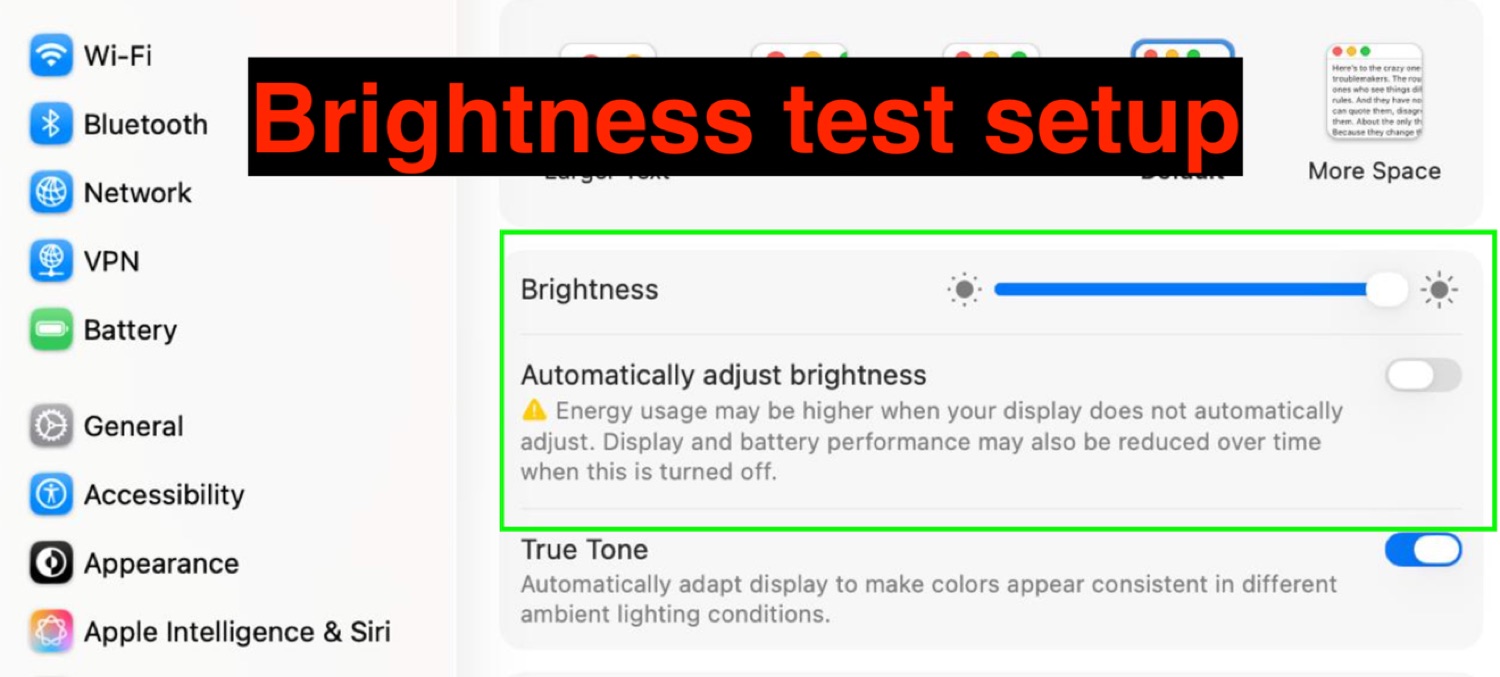
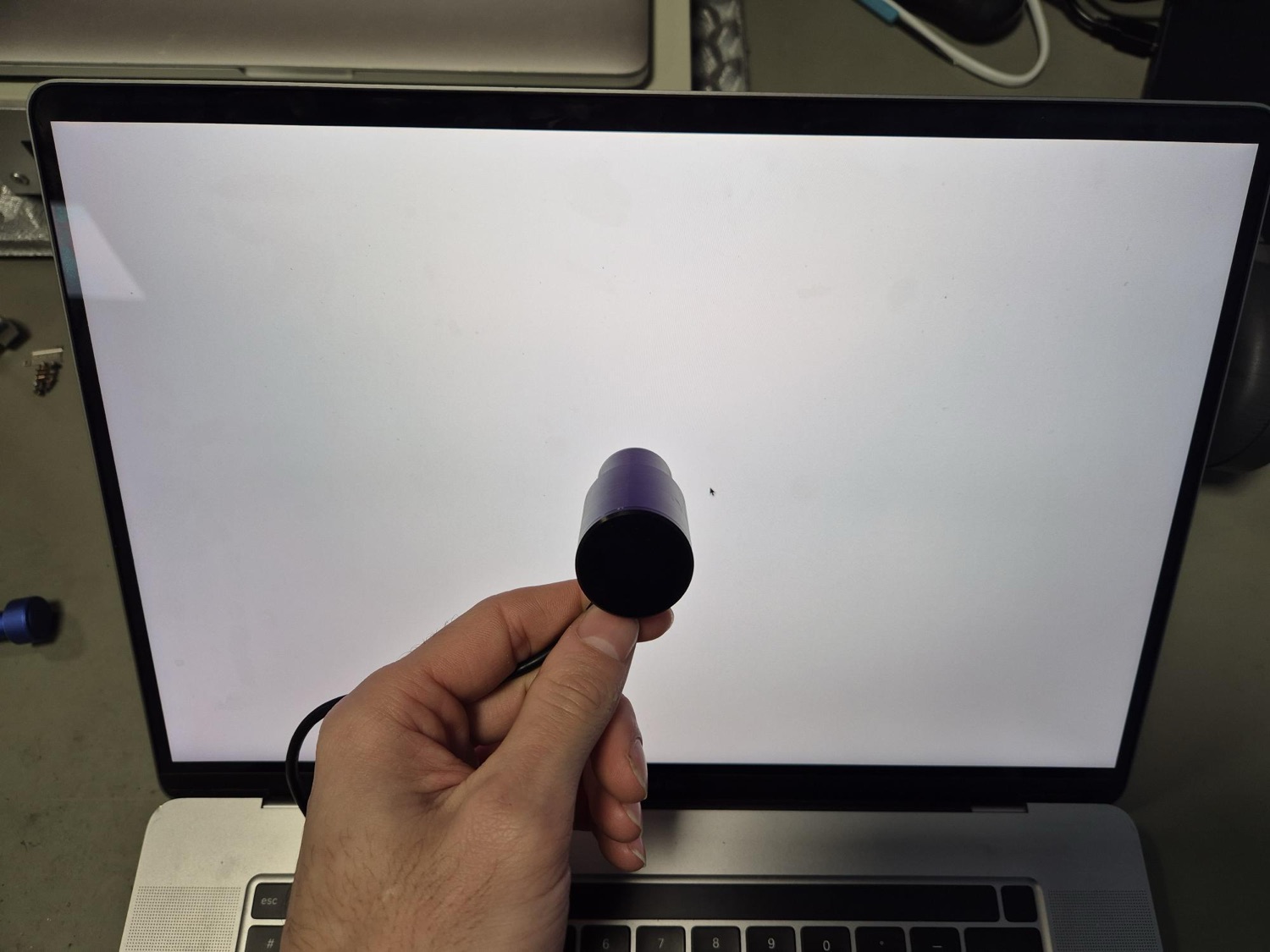
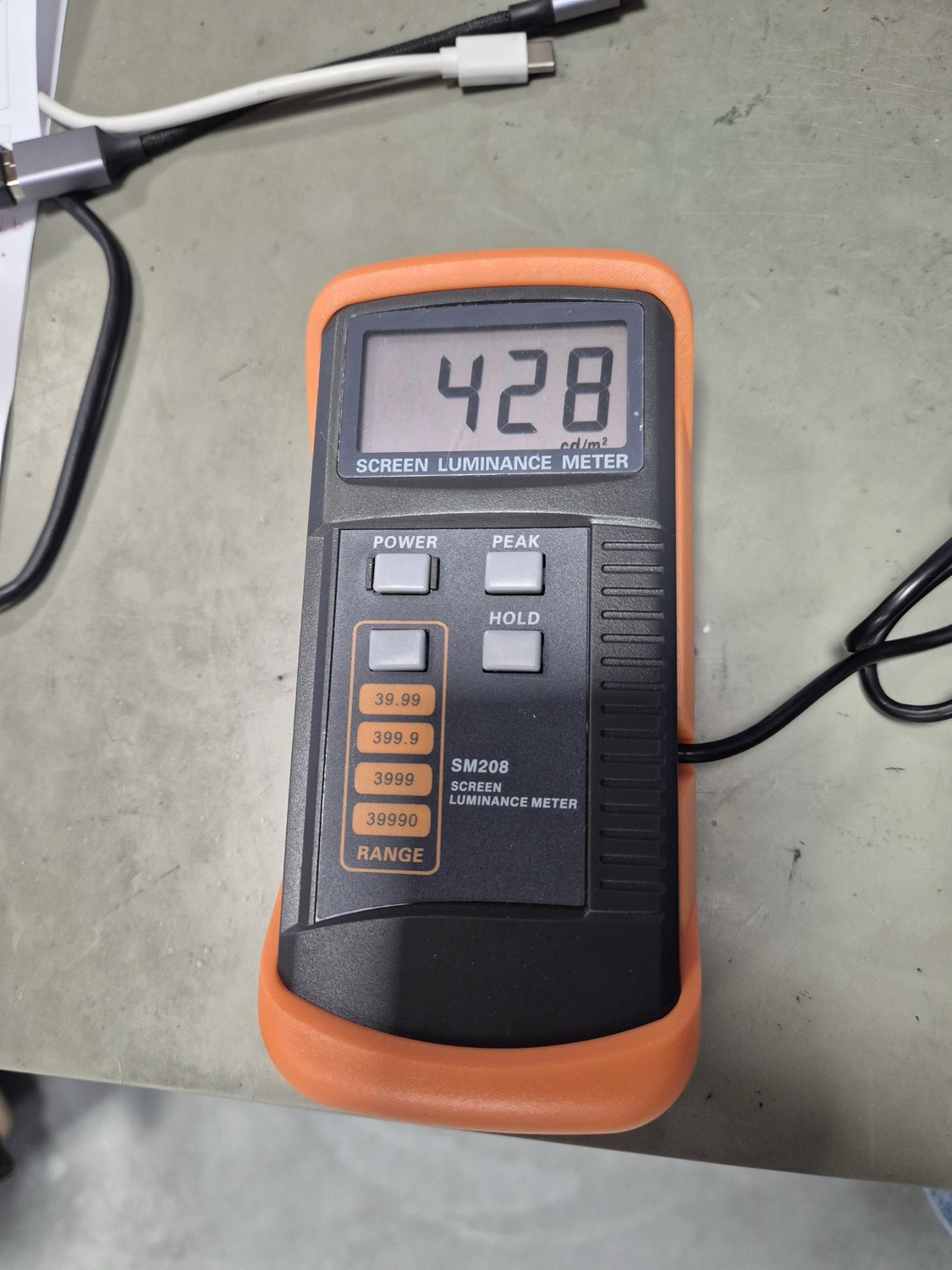
On a fully white screen, luminance meter in hand. The minimum threshold depends on the model — a Pro must push harder than an Air.

  • Air 13″ & 15″ — minimum brightness ≥ 200 cd/m²
  • Pro 13″ — minimum brightness ≥ 220 cd/m²
  • Pro 15″ & 16″ — minimum brightness ≥ 270 cd/m²
2.7.6

Colour temperature

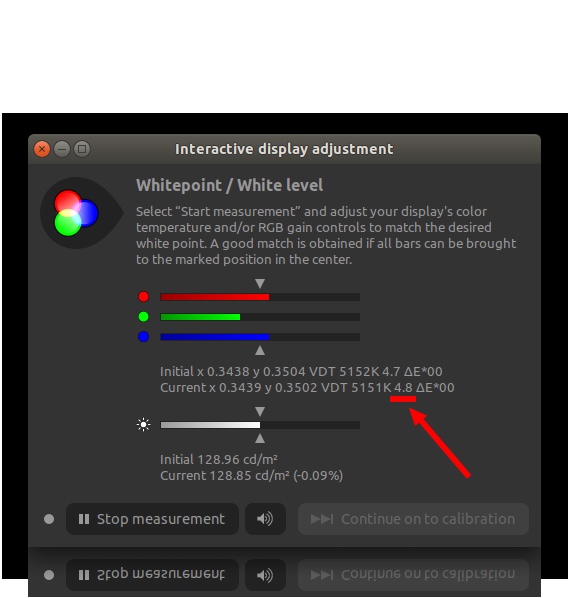
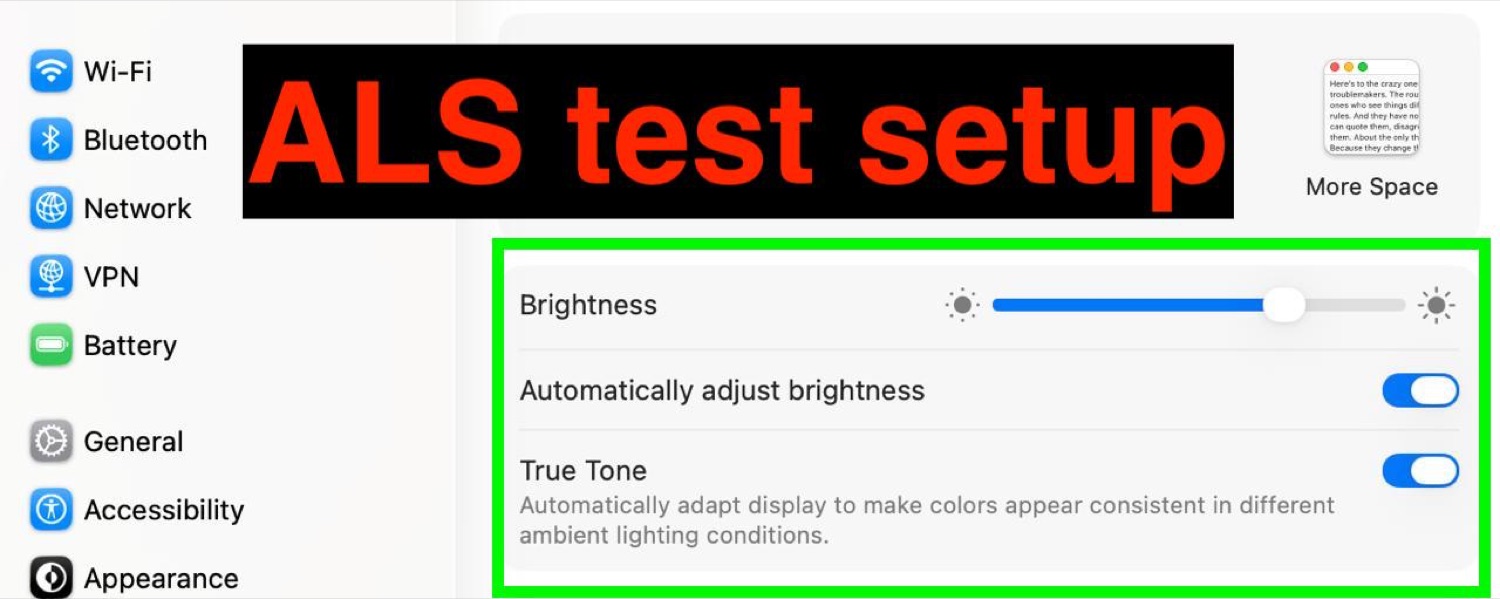
The test that eliminates the notorious “too green” screens. Measured with a colorimeter probe (DisplayCAL), ambient light sensor and True Tone on, in calibrated ambient light 6000–7000 K / 150 LUX.

  • Δ value (excess green) — does not exceed 15
  • Δ value (insufficient green) — does not exceed 6
2.7.7

Camera, sensor & smoothness

The secondary functions, often neglected elsewhere. We test them systematically.

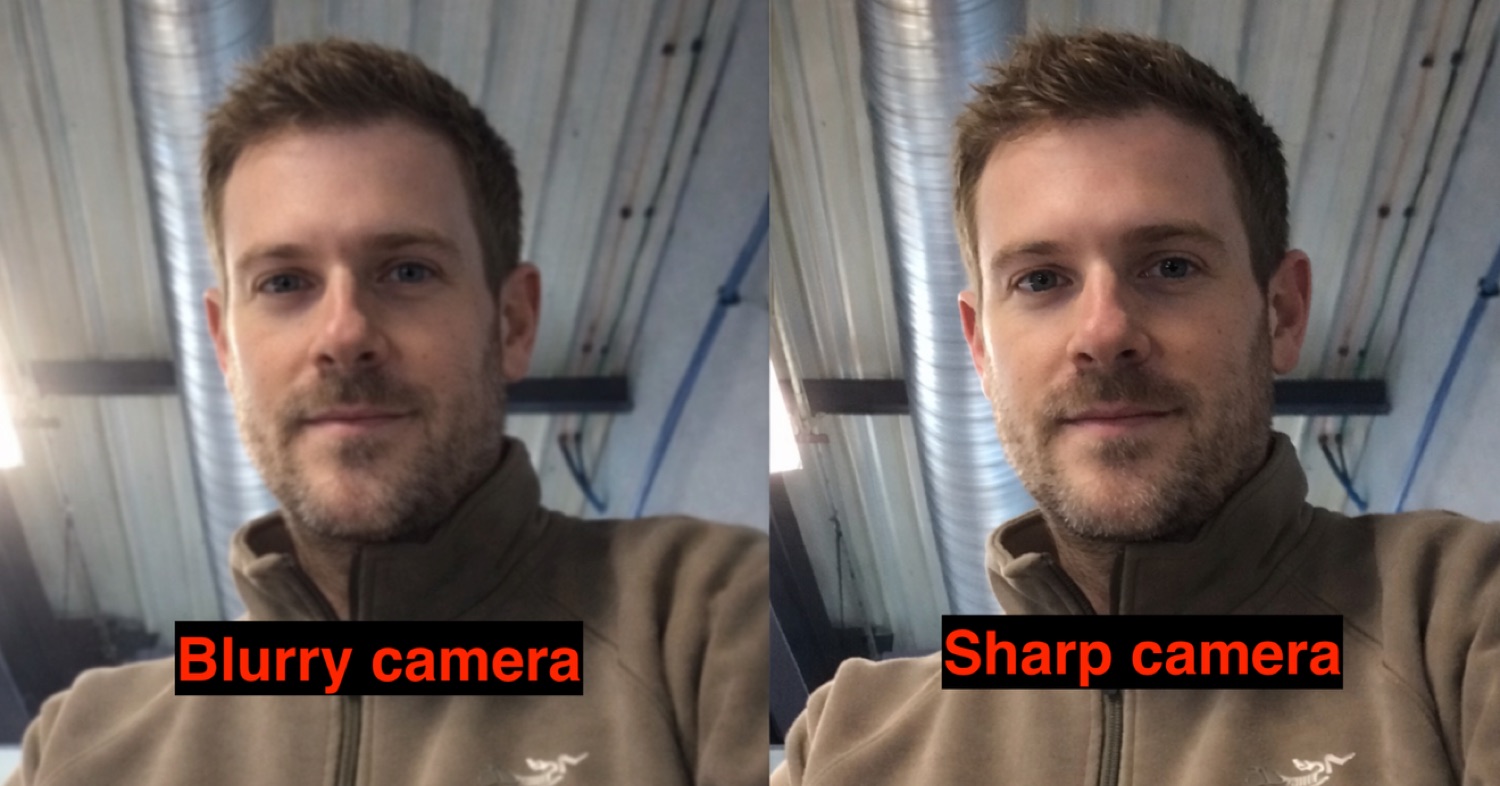
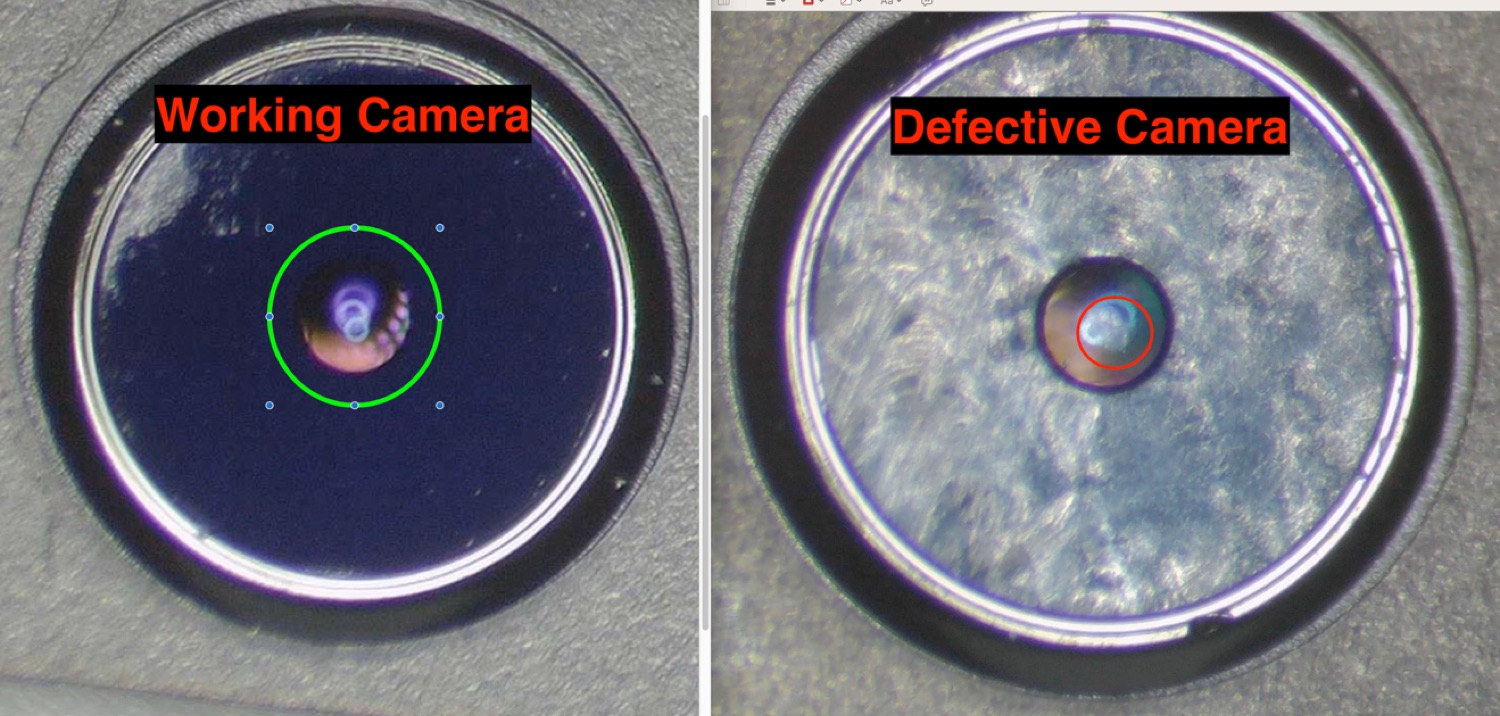
  • Camera — sharp image, no blur or tint calibration defect
  • Ambient light sensor (ALS) — shows signs of life (any erratic behaviour is fixed when the OS is installed)
  • Flicker — none
  • Smoothness — at least 30 FPS, no lag or dropped frame

Final acceptance

A screen passes only if everything is green

If even one of the criteria below is not met, the screen goes back to the workshop or is set aside. No averaging, no exception.

Compliance

All hardware and software tests pass.

Defects

No visual or mechanical defect detected.

Core functions

Camera, ambient light sensor, brightness, backlight and image stability fully functional.

Mechanical quality

Housing and hinges meet quality requirements.

Workshop sign-off verdict: PASS — or nothing.

Frequently asked questions

Is every screen tested one by one?
Yes. Every screen goes through the full protocol — 15 inspection stations and more than 50 checkpoints — individually. No sample testing: a passed screen is a screen that cleared everything, one by one.
How do you detect flicker that is invisible to the eye?
Flicker is not always perceptible to the naked eye. We check it with dedicated software (INSPECT) and specific test cards, screen powered on a real logic board. No flicker is allowed.
What is a “too green” screen and how do you avoid it?
Some refurbished screens skew green. We measure colour temperature with a colorimeter probe (DisplayCAL), True Tone and ambient light sensor on. The Δ value must not exceed 15 (excess green) or 6 (insufficient green), otherwise the screen is rejected.
Do you test the camera and sensors, or only the image?
Both. We check the camera (sharpness, calibration), the ambient light sensor (ALS) and smoothness (at least 30 FPS), on top of the panel, backlight and colours.
Why not use a simple screen tester?
Cheap screen testers show neither flicker, nor camera, nor ambient light sensor, nor firmware faults. We systematically test on a real logic board of the exact model, under an up-to-date macOS.
What happens if a screen fails a single test?
It does not ship. A single non-compliant criterion is enough to send the screen back to the workshop or set it aside. No averaging, no exception: it is “pass” or nothing.

Protocol applied to MacBook 13″, 15″ and 16″ screens from model years 2016 to 2020 (A1706/A1708, A1989/A2159/A2289/A2251, A1932, A2179, A2337, A2338, A1707, A1990, A2141). This protocol evolves: current version updated in 2026.

Product added to wishlist
Product added to compare.

By continuing to browse this site, you accept the use of cookies to improve your experience and provide tailored content. For more information, see our privacy policy.