
Shopping Cart
Apple Studio Display XDR versus Kuycon P27Z and G32P
Apple's new Studio Display XDR — 27-inch 5K mini-LED, 2,000 nits, Thunderbolt 5 — is a superb HDR machine… at 3 099 €. Is it worth paying for, or does one of the two Kuycon do the job? We put all three side by side.
ReferenceApple
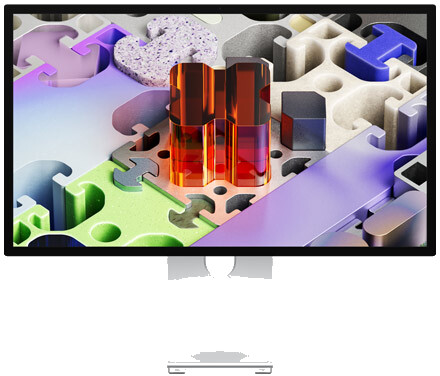 Studio Display XDR
Studio Display XDR
★★★★★ reference HDR
- Panel27″ · 5K mini-LED
- HDR2,000 nits · 120 Hz
- ConnectivityThunderbolt 5
from 3 099 € incl. VAT
Stand +400 € · Mac27″ alternativeKuycon
 Kuycon P27Z
P27Z · 5K 180 Hz
★★★★★ the smooth 5K
- Panel27″ · 5K
- HDRDisplayHDR 600 · 180 Hz
- ConnectivityDP 2.1 · HDMI 2.1
from 1 510 € incl. VAT
See →32″ alternativeKuycon
 Kuycon G32P
G32P · 6K 32″
★★★★★ bigger, more detailed
- Panel32″ · 6K
- HDRHDR · 60 Hz
- ConnectivityDP 2.1 · 2× HDMI 2.1
from 1 933 € incl. VAT
See →
The essentials
The Studio Display XDR is an HDR mastering monitor: its 2,000 peak nits and reference colorimetry have no equal. But at 3 099 € and for Mac use, it targets a pro audience. For everything else, the Kuycon P27Z (same 5K, but 180 Hz, from 1 510 €) or the G32P (32″ 6K, from 1 978 €) deliver the Retina experience for a third to a half of the price.
The three displays face to face
| Specification | AppleStudio Display XDR | KuyconP27Z | KuyconG32P |
|---|---|---|---|
| Price (no stand) | 3 099 € incl. VAT | ≈ 1 510 € incl. VAT | ≈ 1 933 € incl. VAT |
| Price with stand | 3 499 € incl. VAT | ≈ 1 630 € incl. VAT | 2 032 € incl. VAT |
| Diagonal | 27″ | 27″ | 32″ |
| Resolution | 5K · 5120×2880 | 5K · 5120×2880 | 6K · 6144×3456 |
| Density | 218 PPI | 218 PPI | 223 PPI |
| Panel | IPS mini-LED | IPS | LG Nano IPS |
| SDR brightness | ~1,000 nits | 600 nits | 500 nits |
| HDR (peak) | 2,000 nits (XDR) | DisplayHDR 600 | HDR |
| Refresh rate | 120 Hz | 180 Hz | 60 Hz |
| Color | P3 · Adobe RGB · 1 bn | 98 % P3 · 10-bit | 98 % P3 · 10-bit |
| Connectivity | 2× TB5 · 2× USB-C | USB-C · DP 2.1 · HDMI 2.1 | USB-C · DP 2.1 · 2× HDMI 2.1 |
| Compatibility | Mac | Mac · PC · consoles | Mac · PC · consoles |
| Height-adjustable stand (option) | + 400 € incl. VAT | + 99 € incl. VAT | + 99 € incl. VAT |
| Warranty | 1 year + statutory | 2 years EU | 2 years EU |
The only true reference HDR
Let's be clear: on extreme HDR, the Studio Display XDR is alone in its category. Its mini-LED backlight climbs to 2,000 peak nits, with Adobe RGB colorimetry and a billion colors designed for video mastering and color grading. Neither the P27Z (DisplayHDR 600) nor the G32P (500 nits) aim for that ground. Add Thunderbolt 5 (120 Gbit/s) and Mac integration, and you have the ideal tool for a post-production studio. If that's your profession, it justifies itself.
Price, refresh rate, size — and versatility
For all other uses, the equation flips. The P27Z shows the same 5K, but at 180 Hz (versus 120), with HDMI 2.1 and DisplayPort 2.1 for PC and consoles — all for nearly 1,600 € less. The G32P, for its part, goes further in surface and pixels: 32 inches in 6K, stand included, for more than 1,100 € of savings. Neither reaches the XDR's 2,000 nits — but for everyday Retina work (office tasks, dev, photo, design, SDR editing), the on-screen difference doesn't justify doubling the bill.
Which display for which need?
For HDR pros
Studio Display XDR
from 3 099 € incl. VAT
If you master HDR or color grade on Mac and need the 2,000 reference nits, it's the tool. For any other use, it's a lot to pay.
See at Apple
The best versatile 5K
Kuycon P27Z
from 1 510 € incl. VAT
The same 27″ 5K, but 180 Hz and HDR, compatible with Mac, PC and consoles. ≈ 1,600 € less than the XDR. Our pick for the majority.
See the P27Z
Bigger & more detailed
Kuycon G32P
from 1 933 € incl. VAT
Want 32 inches in 6K rather than 27″ 5K? More space, more pixels, height-adjustable stand as a 99 € option — for ≈ 1,100 € less than the XDR.
See the G32PVerdict
A studio display… or twice the display for the same budget
The Studio Display XDR is an excellent monitor, but it's a pro niche product: outside HDR mastering, its 3 099 € (3 499 € with the stand) are hard to justify. For the price of an equipped XDR, you can get a P27Z and a G32P together — a dual-display 5K + 6K setup, compatible with Mac, PC and consoles, warrantied 2 years with support in France. For nine users out of ten, the Kuycon alternative is the most rational choice.
Studio Display XDR vs Kuycon P27Z and G32P
Does the Kuycon P27Z or G32P match the HDR of the Studio Display XDR?
No, and it's the only area where the Apple keeps an edge: its mini-LED backlight reaches 2,000 peak nits, versus DisplayHDR 600 for the P27Z and a standard HDR (500 nits) for the G32P. For reference HDR mastering, the XDR stays ahead. For everyday SDR, the difference is far less visible.
Do you really have to pay 3 099 € for a good Mac display?
Only if you have a professional need for reference HDR. Otherwise, the Kuycon P27Z (27″ 5K, 180 Hz, from 1 510 €) or the G32P (32″ 6K, from 1 978 €) offer the same Retina sharpness for a third to a half of the price.
P27Z or G32P: which to choose?
The P27Z is a 27-inch 5K at a very high refresh rate (180 Hz), ideal if you want smoothness and a bit of gaming. The G32P is a 32-inch 6K: more surface and pixels for work, at 60 Hz. Same Retina density on both sides.
Do these Kuycon displays work with a Mac?
Yes, in 5K/6K via USB-C (Thunderbolt-compatible) with Apple Silicon Macs (M1 and newer) and iPad Pro. Unlike the Studio Display XDR, they also accept PCs and consoles via HDMI and DisplayPort.
Where to buy the Kuycon displays?
On the official Kuycon store. See the P27Z or the G32P on kuycon.co →
Place du Mac comparison, 2026. Apple Studio Display XDR per apple.com (27″ 5K mini-LED, ~1,000 nits SDR / 2,000 nits HDR, 120 Hz, Thunderbolt 5, 3 099 € incl. VAT, stand +400 €). Kuycon P27Z (27″ 5K, up to 180 Hz, VESA DisplayHDR 600, from ≈ 1 510 € incl. VAT) and G32P (32″ 6K 6144×3456, LG Nano IPS, from ≈ 1 933 € incl. VAT, 2 032 € with stand) per their datasheets. Indicative prices subject to change. Apple, Studio Display XDR and Thunderbolt are trademarks of Apple Inc. ; Kuycon, P27Z and G32P are trademarks of Kuycon.
