
Shopping Cart
Mac screen: your warranty questions answered
Wondering whether your screen fault is covered? Here are the most common cases, each with the answer — covered under warranty or not — and above all why. The photos below are real examples, anonymized.
✅ Covered
Panel display defects (spots, halos, lines, backlighting) that appear with no impact.
⛔ Not covered
Any physical breakage and damage that occurs during the screen installation.
ℹ️ Not a fault
Some “washed-out” displays are fixed by a simple macOS update.
✅ What is covered under warranty
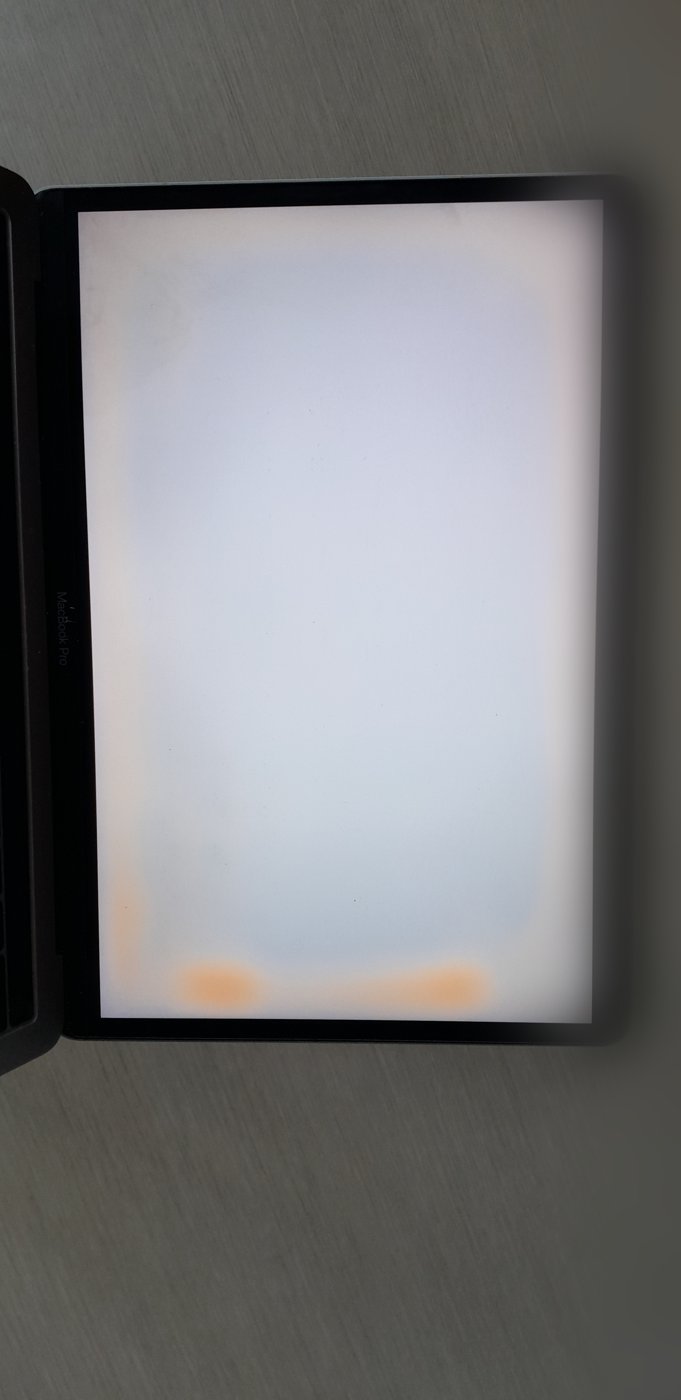
A screen showing an image defect when it has suffered no impact is a manufacturing defect of the panel: it is covered.
Covered under warranty
My screen has spots or halos that appeared with no impact.
Yes. An image defect that appears with no impact is a display defect of the panel (LCD): it is covered under warranty.
Covered under warranty
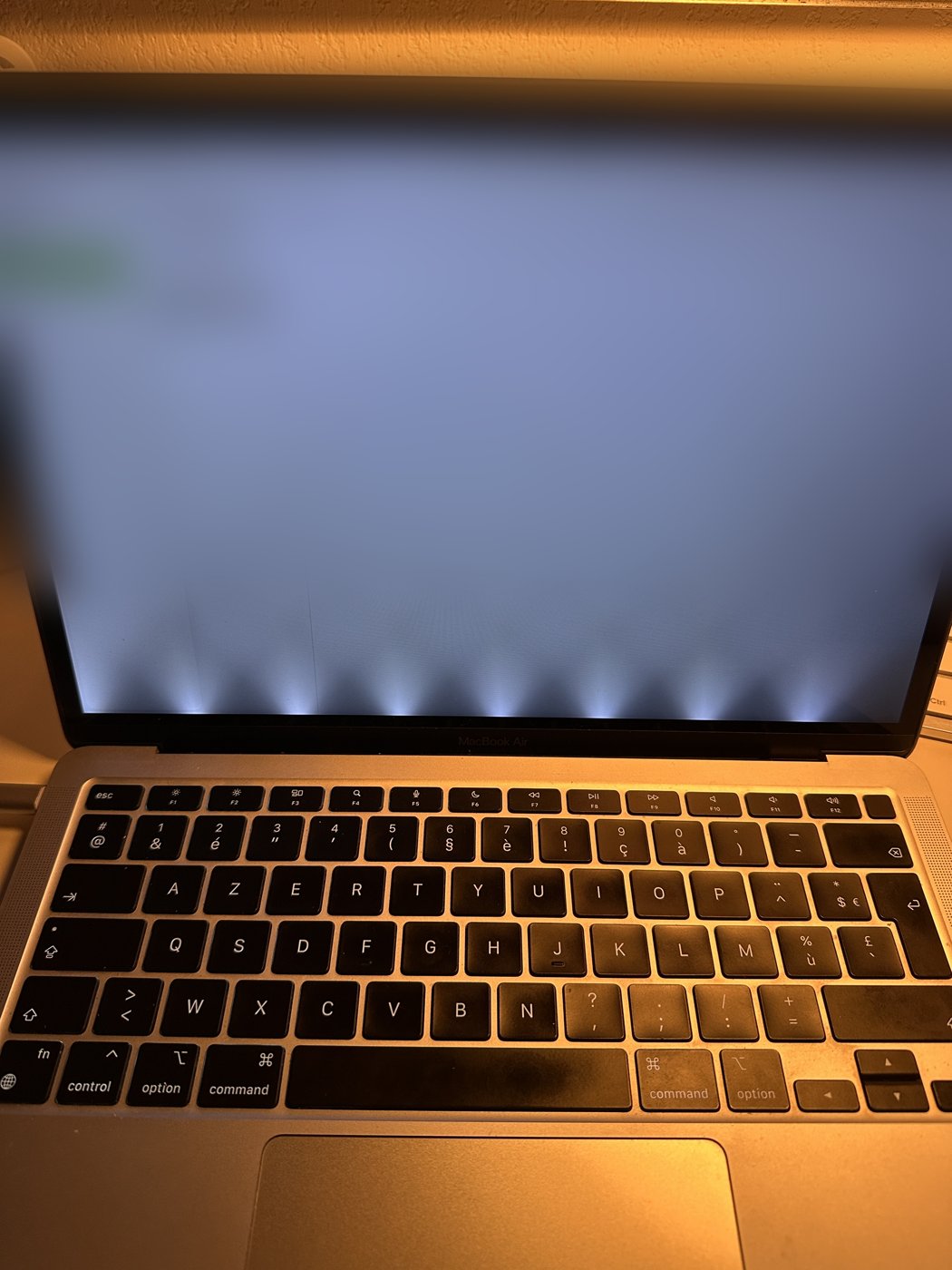
I have halos of light at the bottom of the screen (stage light), or the screen switches off when I tilt it (flexgate).
Yes. These backlighting defects — halos at the bottom of the panel (stage light), the screen switching off past a certain angle or a band of LED at the bottom (flexgate) — are panel defects, covered under the legal warranty of conformity. Rare exception: if the flex cable was folded or torn during installation, it is not covered; in practice, when the fault appears several months after installation, the screen is almost always covered.
Covered under warranty
My screen stays black / no longer lights up, with no breakage at all.
If the screen stays black (sometimes with a very faint backlight) while the Mac starts up fine — startup sound, backlit keyboard — and there is no panel breakage, nor a damaged connector or flex cable, it is a defect: covered. We test the screen on return to confirm this.
Covered under warranty
My screen shows random horizontal streaks or lines.
Streaks or horizontal lines that appear randomly on a recent screen are a panel defect: covered. A short video of the phenomenon helps us diagnose it; we test the screen on receipt.
⛔ What is not covered
The warranty covers neither breakage nor accidental damage, including damage that occurs during the screen installation.
Not covered
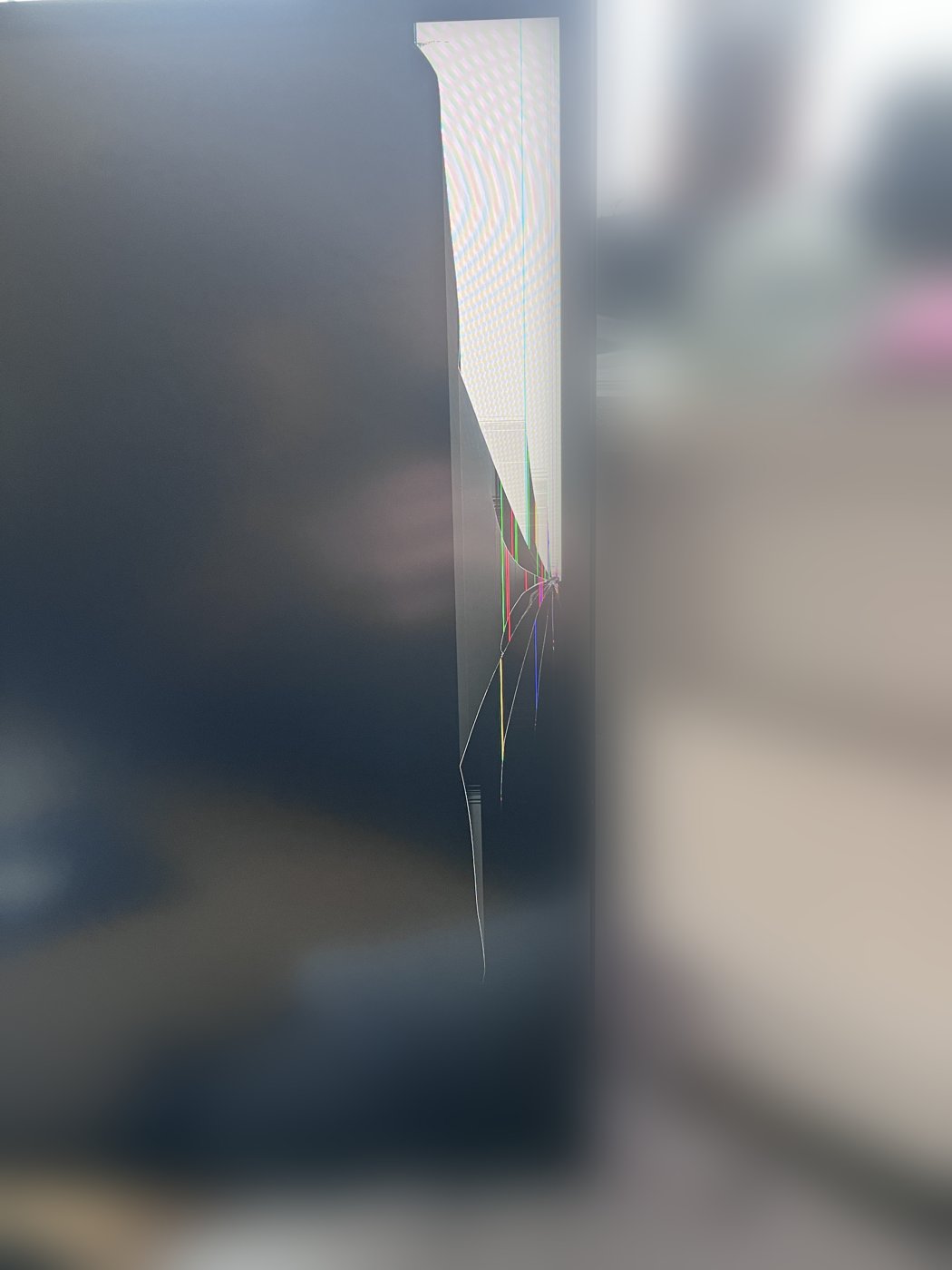
My screen is cracked or the glass is broken.
No. A broken or cracked panel, with colored lines radiating from an impact point, is mechanical breakage (impact or pressure). This accidental damage is not covered by the warranty.
Not covered
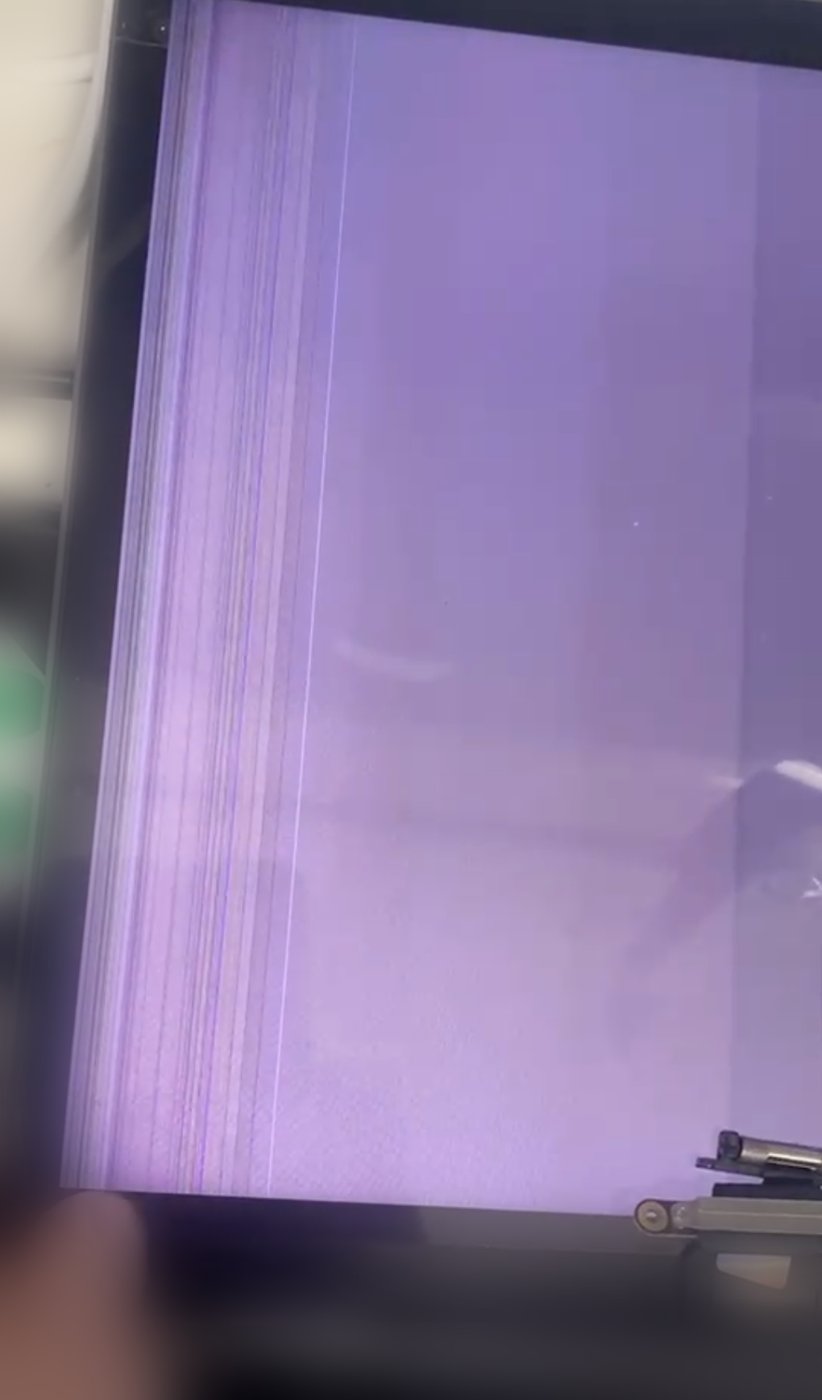
I have colored bands along one edge, yet I did not drop my Mac.
These coloured bands and vertical lines along an edge come from a break in the panel under the bezel. Most often, pressure was applied to the bezel — the frame around the screen, and on some machines the glass strip at the bottom of the display — which cracks the panel just underneath. The cause can be anything: an object left between the screen and the keyboard when closing the lid (often the USB-C charging cable or the MagSafe), a simple press, a light knock on the edge… It is accidental damage: not covered. A good tell: gently sliding a finger over the bezel, without pressing, makes the display change (the bands move) — a sign the panel is cracked underneath.
💡 The habit that prevents breakage: never leave a cable, pen or earphones on the keyboard before closing your Mac.
Not covered
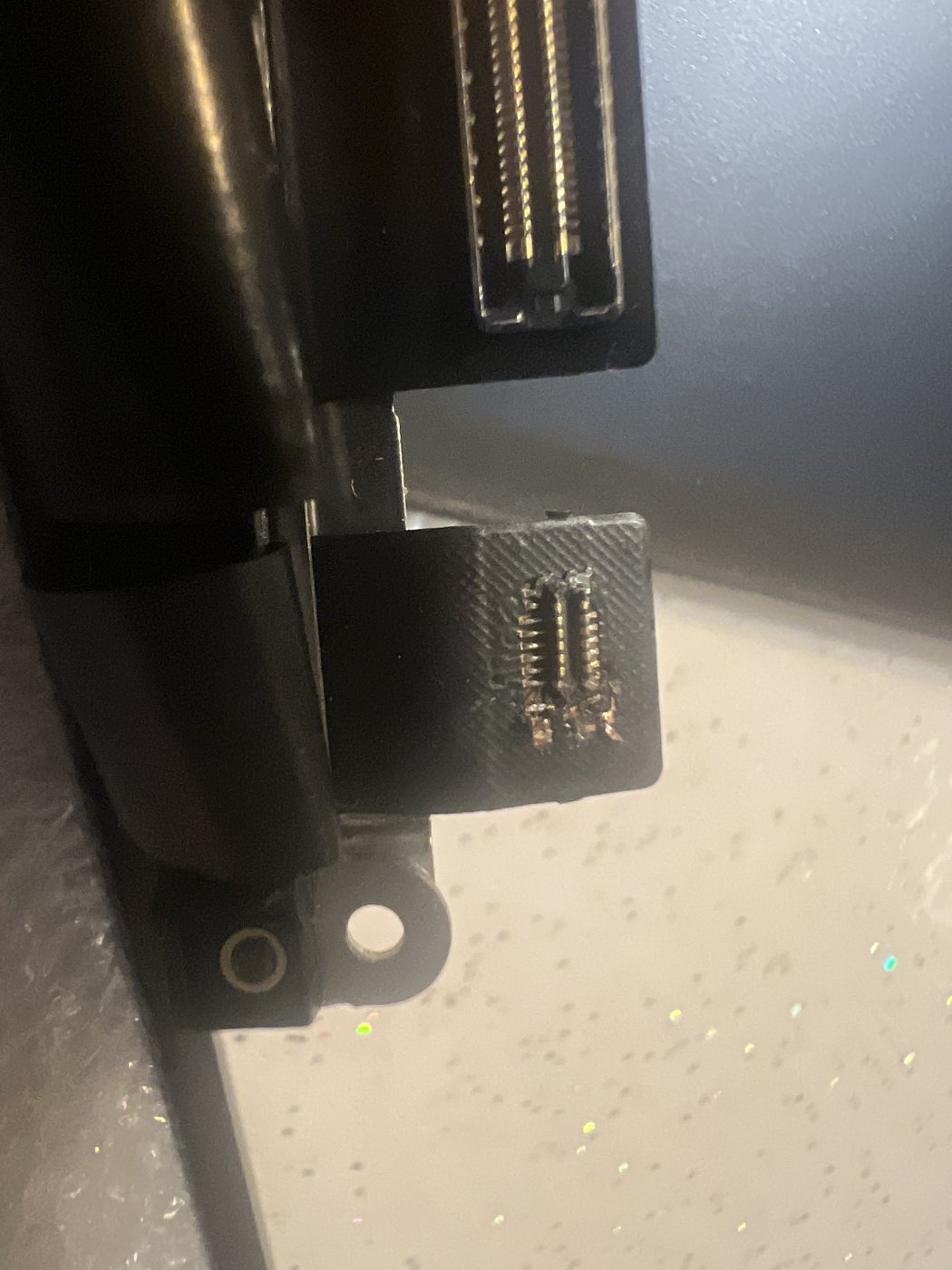
I installed the screen myself and the camera (or the screen) no longer works.
If a connector or a flex cable was damaged during installation — folded or torn flex cable, forced or burnt connector — the fault comes from the installation and is not covered. In this photo, the connector was burnt during fitting. We recommend entrusting the replacement to a professional repairer.
💡 Always disconnect the battery before any handling and never force a connector.
Not covered
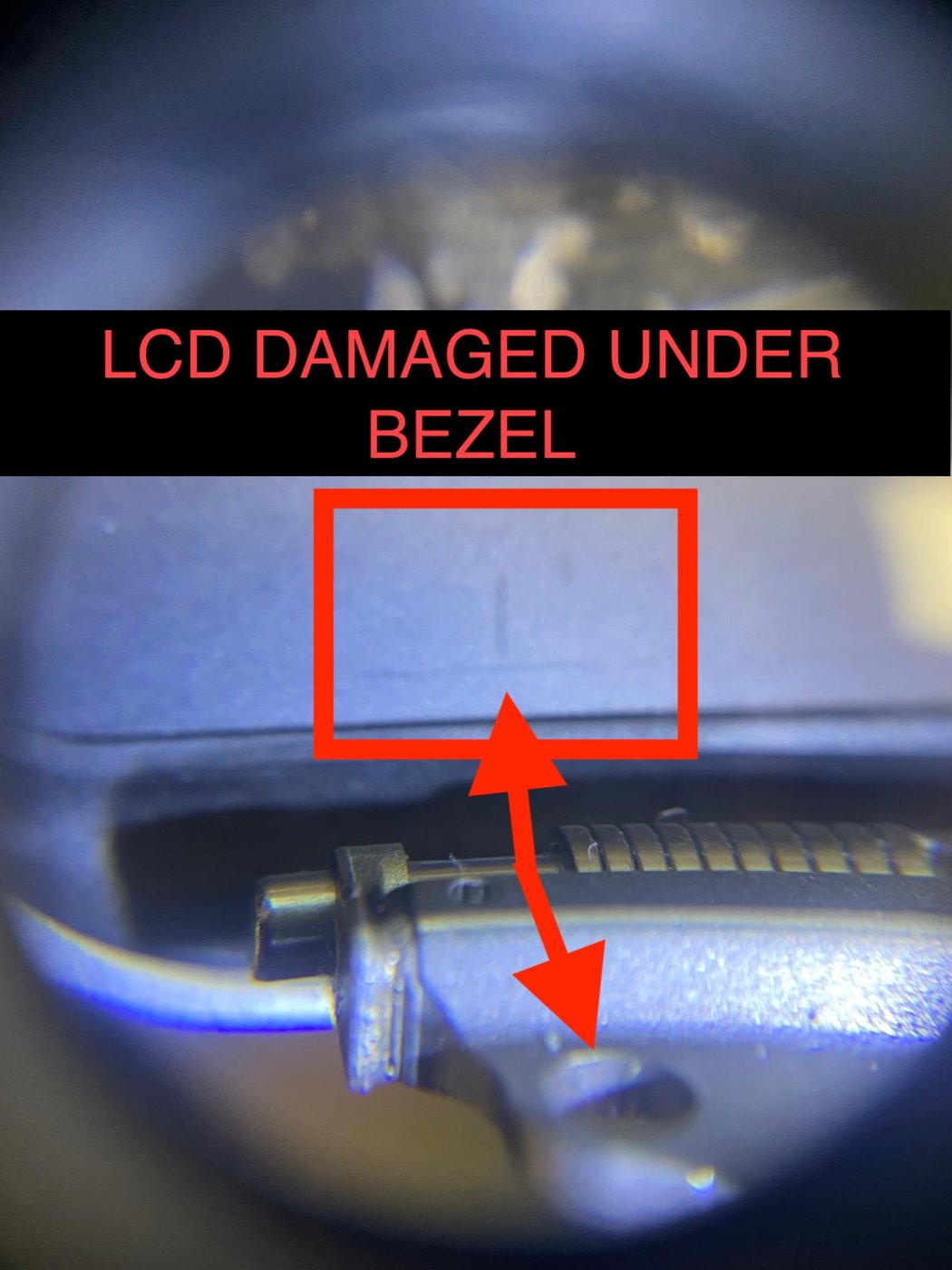
I have a fine vertical line near the screen hinge.
A thin line near the hinge always has the same cause: during insertion, the two hinges were not parallel to the chassis and did not go in together — one went in before the other, the screen tilted and the chassis pressed on the bottom of the panel, right against the bezel. The panel is very thin there: a few millimetres of pressure are enough to crack it. Under examination it is indeed cracked beneath the bezel (see photo) while the glass and the frame are intact: this is installation damage and is not covered by the warranty.
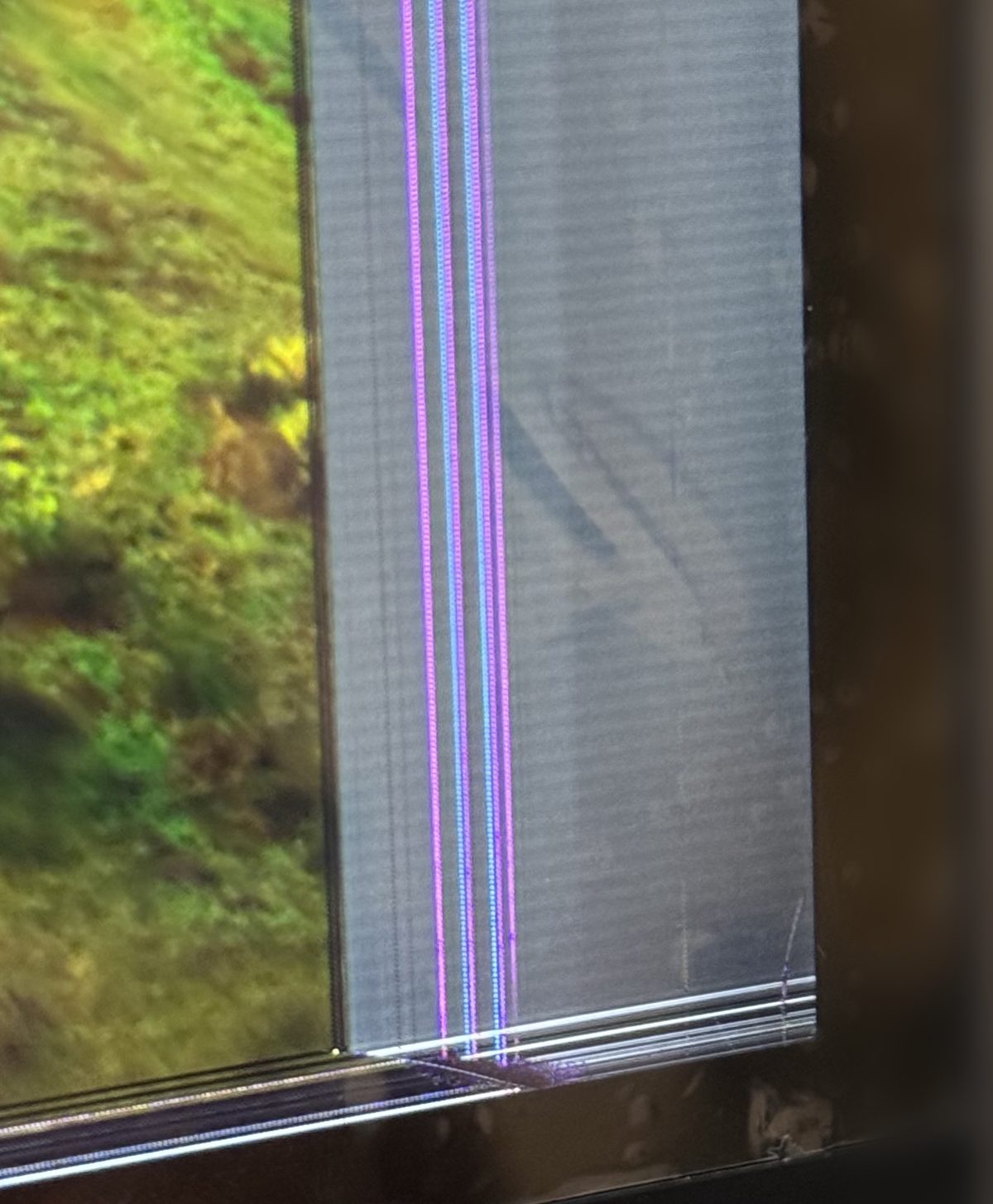
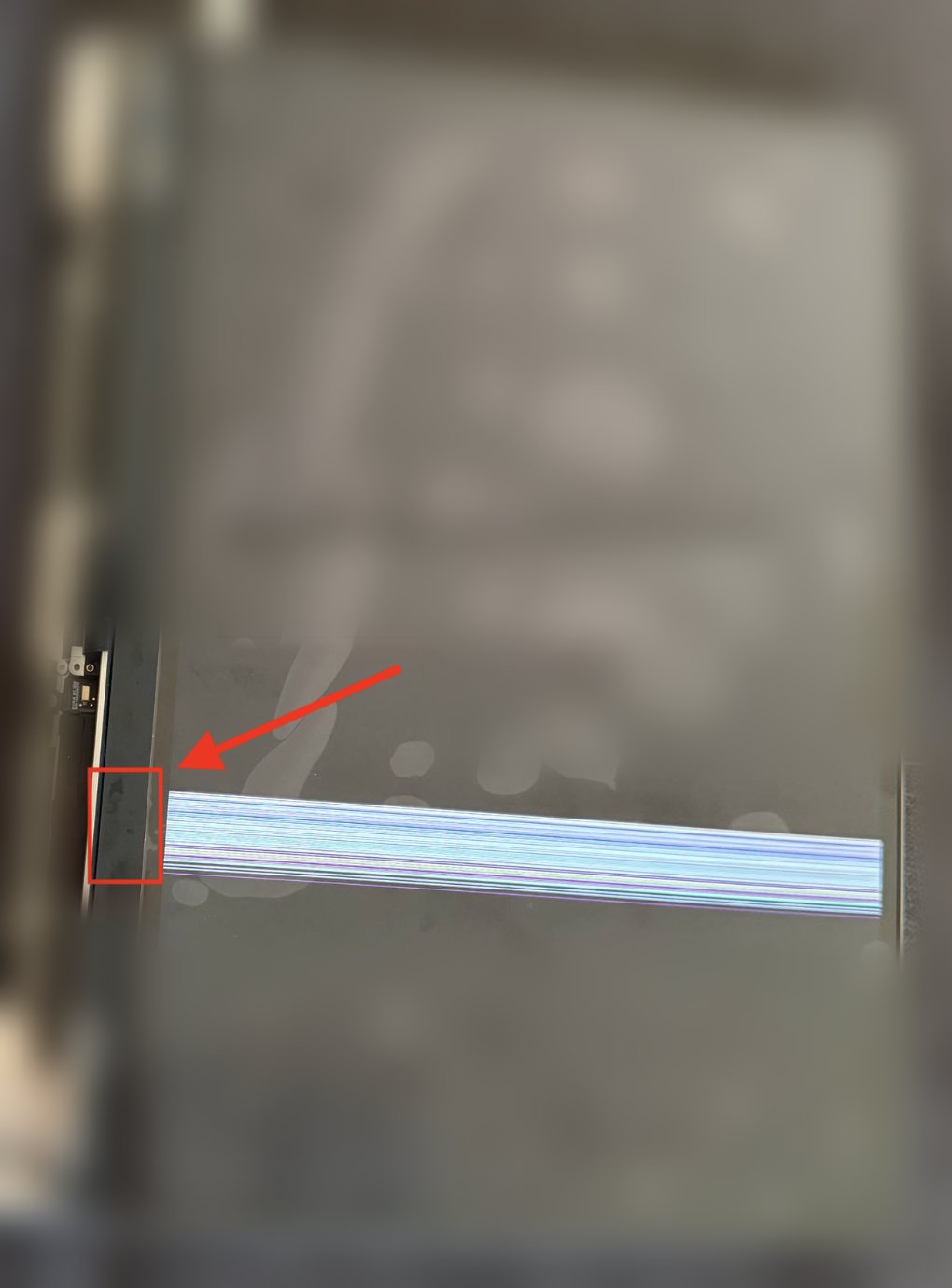
Not covered
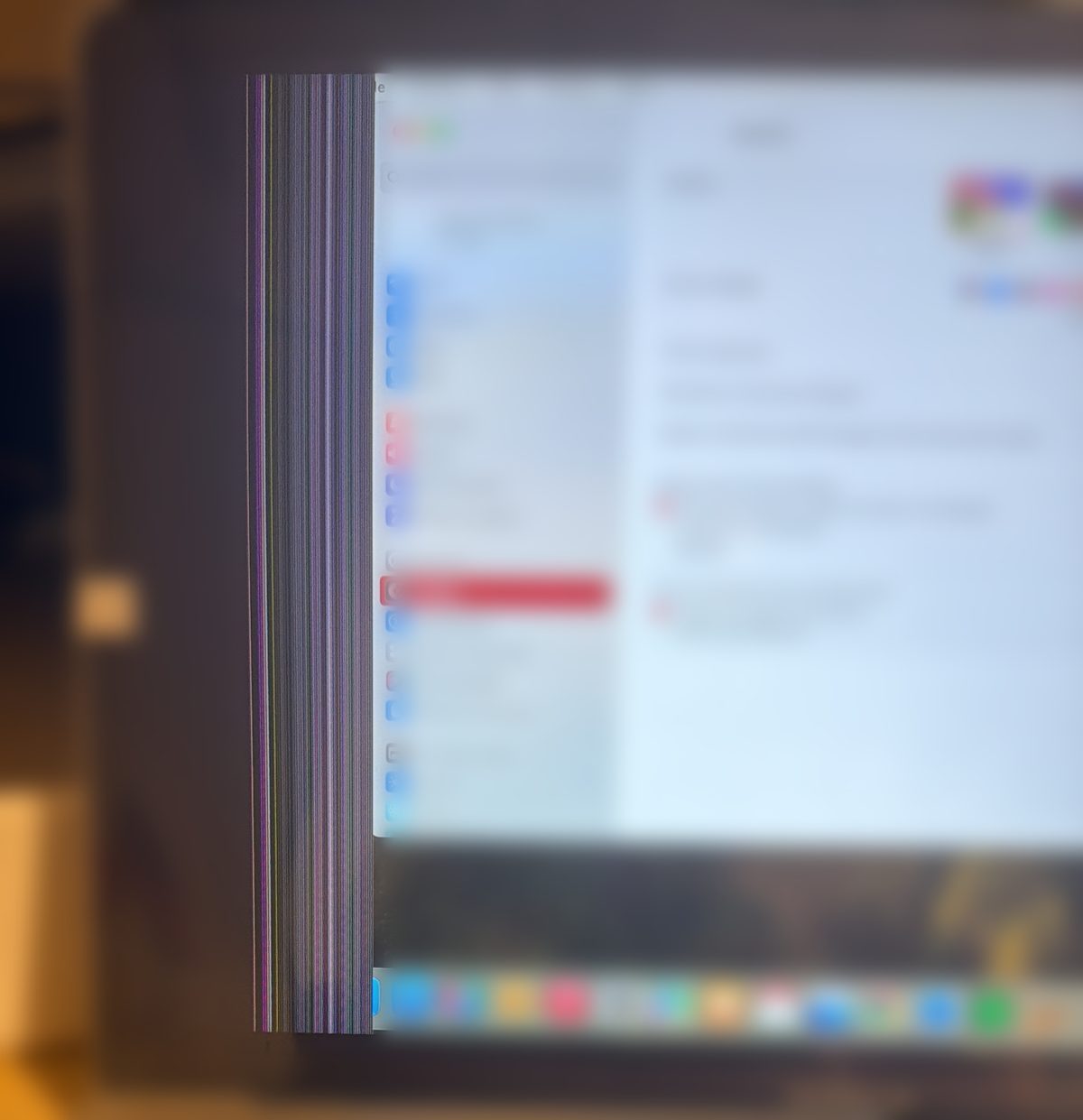
Coloured lines appeared on the screen right after I fitted it: a horizontal band across the image, or vertical lines along one edge.
No. These coloured lines — a horizontal band of fine lines across the image, or vertical lines along one edge, sometimes with pale blotches and a dead area of the display — come from the LCD panel being cracked under the bezel while the screen was being fitted. The cause is always the same: during insertion, the two hinges were not parallel to the chassis and did not go in together — one went in before the other, the screen tilted and the chassis pressed on the bottom of the panel, right against the bezel. The panel is very thin there: a few millimetres of pressure are enough to crack it. Nothing shows on the surface, the glass and the frame stay intact, but the panel is broken underneath and the image is permanently damaged. In extreme cases, the bezel itself breaks. This is installation damage: it is not covered by the warranty.
💡 Open the hinges as far as they will go: the screen must slide in naturally, without any force. When fitting, the two hinges must be parallel to the chassis and go in together, at the same time. Never insert one hinge and then the other: the screen tilts and the panel cracks. If in doubt, have the replacement done by a professional repairer.
ℹ️ When it is not a fault
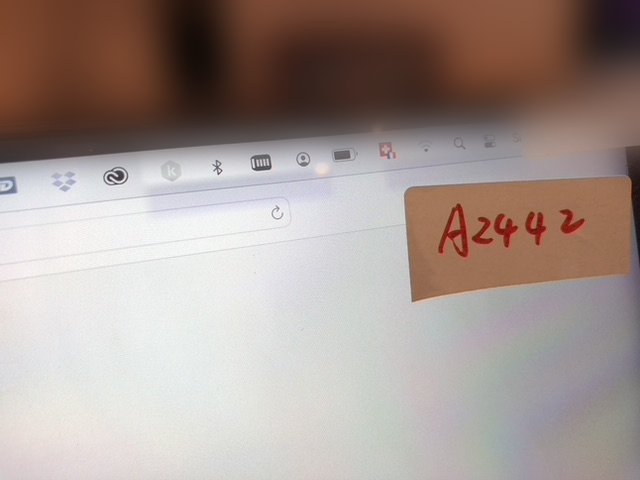
Needs updating
The bottom of my screen is “washed out” / I have an iridescent halo.
This is not necessarily a hardware defect: it is often a macOS display bug. Update macOS (Apple menu > System Settings > General > Software Update) and the screen goes back to normal. Consider this before any return: it resolves some of the “display defects” without any intervention.
Ordering error
I made a mistake: I ordered a MacBook Air screen instead of a Pro (or the other way around).
This is not a fault but a reference error — so it is not a warranty case. You can nonetheless return the screen to us if it is not installed and in its original condition (14-day right of withdrawal). To avoid the error, use our compatibility tool (with your Mac's serial number) before ordering.
Unsure about your screen? Send 2 to 3 clear photos of the screen (on, then off, from several angles) to [email protected] with your order number. Our after-sales service will reply with a diagnosis and the steps to follow.
